Etamuid – Editing photos no longer has to involve complicated software, endless sliders, or hours of manual adjustments. With modern AI photo editors, you can improve image quality, remove unwanted objects, replace backgrounds, retouch portraits, and even expand a photo beyond its original borders in just a few clicks.
Whether you are a professional photographer, content creator, online seller, or someone who simply wants better-looking social media photos, AI-powered editing tools can make the process faster and more accessible.
The best part is that you do not need advanced editing skills to get started. Many tools can automatically improve lighting, sharpen details, remove distractions, and make portraits look more polished. Some even let you describe the changes you want using simple text prompts.
However, not every AI photo editor is designed for the same purpose. Some are built for professional image manipulation, while others focus on mobile editing, product photography, or quick social media content.
In this guide, we explore 12 of the best AI photo editors in 2026, including their standout features, strengths, limitations, and ideal use cases. The goal is to help you choose a tool that makes professional-looking photo editing easier without making your workflow unnecessarily complicated.
Quick Comparison: Best AI Photo Editors in 2026
| AI Photo Editor | Best For | Standout Features |
|---|---|---|
| Adobe Photoshop | Professional editing | Generative Fill, object removal, image expansion |
| Adobe Lightroom | Photographers | AI masking, noise reduction, photo adjustments |
| Luminar Neo | Creative photo enhancement | AI sky replacement, portrait enhancement, object removal |
| Canva | Beginners and social media | Magic Edit, background removal, design templates |
| Photoroom | Product photography | Background removal, AI backgrounds, product staging |
| Pixlr | Browser-based editing | AI removal, generative fill, quick adjustments |
| Fotor | Everyday photo editing | AI enhancement, portrait retouching, background tools |
| Topaz Photo AI | Image restoration | Denoising, sharpening, upscaling |
| Remini | Portrait enhancement | Face enhancement, photo restoration |
| Picsart | Mobile creators | AI effects, background editing, creative tools |
| Google Photos | Smartphone users | Magic Editor, Magic Eraser, photo enhancement |
| Imagen AI | Professional batch editing | Personalized editing profiles, workflow automation |
Features and plan availability can change. Some AI functions may require a paid subscription, usage credits, or a compatible device.
What Is an AI Photo Editor?
An AI photo editor is an image-editing application that uses artificial intelligence and machine learning to automate or simplify common editing tasks.
Traditional photo editing often requires users to understand tools such as layers, masks, curves, selection brushes, and color adjustments. AI-powered editors can handle many of these tasks automatically or through simple instructions.
For example, you can upload a portrait and ask an AI editor to remove the background, improve the lighting, or eliminate an unwanted object. The software analyzes the image and generates an edited result.
Common AI photo editing features include:
- AI enhancement: Automatically improves brightness, contrast, color, and image clarity.
- Background removal: Separates a subject from its original background.
- AI retouching: Helps remove blemishes, smooth skin, and improve portrait details.
- Image upscaling: Increases image resolution and attempts to restore details.
- Generative Fill: Adds, removes, or replaces parts of an image using AI.
- Object removal: Erases unwanted elements while reconstructing the surrounding area.
- Batch editing: Applies similar adjustments to multiple photos.
These features are especially useful for creators who regularly publish images, photographers handling large collections, and businesses that need consistent product photos.
12 Best AI Photo Editors in 2026
1. Adobe Photoshop – Best AI Photo Editor for Professional Editing
Adobe Photoshop remains one of the strongest choices for users who need advanced photo editing and creative control. Its AI-powered features make complicated image manipulation more accessible while keeping traditional editing tools available.
One of its most useful features is Generative Fill. You can select an area of an image and use a text prompt to add, remove, or replace visual elements. Photoshop can then generate variations that blend with the surrounding image.
Other useful AI capabilities include Generative Expand, background generation, object removal, and image enhancement. Adobe also offers different generative models through its editing workflow, giving users more flexibility when creating or modifying images.
Key features:
- Generative Fill for adding or replacing objects.
- Generative Expand for extending image boundaries.
- AI-powered background replacement.
- Object removal and image cleanup.
- Advanced layers, masks, and professional retouching tools.
Best for: Professional photographers, graphic designers, digital artists, and creators who need detailed control over their images.
Potential drawback: Photoshop has a learning curve. Some generative features also use credits, depending on the plan and selected model.
If you want a tool that combines AI assistance with extensive manual editing capabilities, Photoshop is a strong option. Adobe’s documentation explains how Generative Fill works with selected areas and text prompts. (Adobe Help Center: https://helpx.adobe.com/id_en/photoshop/desktop/create-open-import-images/create-images/edit-images-with-generative-fill.html)
2. Adobe Lightroom – Best for Photographers and Photo Collections
Adobe Lightroom is designed for photographers who need to organize, adjust, and process large collections of images.
Unlike Photoshop, which focuses heavily on detailed image manipulation, Lightroom is particularly useful for developing photographs and maintaining a consistent visual style across a shoot.
Its AI-assisted features include subject and sky selection, masking, noise reduction, and tools for removing unwanted distractions. These features can help photographers make targeted adjustments without manually selecting every part of an image.
Lightroom is also useful for editing RAW photos, adjusting exposure, controlling colors, and synchronizing edits across compatible devices.
Key features:
- AI-powered masking and subject selection.
- Denoise for reducing image noise.
- Adaptive presets and automatic adjustments.
- Color grading and exposure controls.
- Photo organization and library management.
Best for: Wedding photographers, travel photographers, portrait photographers, and anyone managing a large photo library.
Potential drawback: Lightroom is more focused on photographic workflows than creative image generation. Users who need extensive object replacement may prefer Photoshop.
3. Luminar Neo – Best for AI-Powered Creative Enhancement
Luminar Neo is an AI-focused photo editor designed to simplify common creative editing tasks. It is particularly useful for photographers who want attractive results without spending too much time adjusting every setting manually.
The software offers tools for enhancing portraits, replacing skies, removing unwanted elements, and expanding images. Features such as AI-powered lighting adjustments can also help make a photo look more balanced.
Landscape photographers may find its sky and atmosphere tools useful, while portrait creators can explore its face and lighting adjustments.
Key features:
- AI sky replacement.
- AI image enhancement.
- Generative object removal and image expansion.
- Portrait and lighting adjustments.
- Creative effects for landscapes and everyday photos.
Best for: Landscape photographers, travel creators, and users who want fast creative improvements.
Potential drawback: Some advanced features may depend on specific plans or generative usage allowances. Check the current licensing details before purchasing.
4. Canva – Best AI Photo Editor for Beginners
Canva is more than a graphic design platform. Its AI-powered editing features make it a practical option for people who want to improve photos and turn them into social media content.
Canva’s Magic Studio includes tools that can help users edit images, remove backgrounds, modify selected areas, and create visual assets for marketing materials.
The main advantage is convenience. You can edit a photo and immediately place it inside an Instagram post, YouTube thumbnail, presentation, poster, or other design.
For beginners, this removes the need to switch between several applications just to create a finished visual.
Key features:
- AI-assisted image editing.
- Background removal on supported plans.
- Magic Edit and other AI design features.
- Ready-made social media templates.
- Text, graphics, and layout tools.
Best for: Social media managers, bloggers, small businesses, students, and beginner content creators.
Potential drawback: Canva is not a complete replacement for professional photo-editing software. Advanced photographers may need more precise controls.
If you regularly create visual content, you may also enjoy our guide to the best AI tools for content creators.
5. Photoroom – Best for Product Photography and E-Commerce
Photoroom is a practical AI photo editor for online sellers, small businesses, and creators who need clean product images.
Its main strength is background editing. You can remove an existing background, replace it with a different scene, and create product visuals without setting up a professional photography studio for every image.
Photoroom also offers tools for generating product backgrounds, creating realistic-looking shadows, and preparing images for online catalogs.
This can be particularly useful for marketplace sellers who need consistent product presentation.
Key features:
- Automatic background removal.
- AI-generated product backgrounds.
- AI shadows and product staging.
- Product image editing.
- Mobile and web-based workflows.
Best for: E-commerce sellers, marketplace businesses, online stores, and product content creators.
Potential drawback: It is more specialized in product photography than general-purpose professional editing.
6. Pixlr – Best Browser-Based AI Photo Editor
Pixlr is a convenient option for people who want to edit images without installing heavy desktop software.
It offers browser-based editing tools and mobile options, making it accessible across different devices. Its AI features can help users remove backgrounds, erase unwanted objects, and generate or modify image elements.
Pixlr is particularly useful for quick edits when you do not need the full capabilities of Photoshop.
Key features:
- AI background removal.
- Generative Fill and image expansion.
- AI object removal.
- Browser-based photo editing.
- Creative filters and adjustment tools.
Best for: Students, casual editors, bloggers, and users who prefer editing directly in a browser.
Potential drawback: Some advanced AI tools and export options may have usage limits or require a paid plan.
7. Fotor – Best All-in-One AI Photo Editor for Everyday Use
Fotor combines traditional photo editing with AI-powered enhancement and retouching tools. It is designed for users who want to improve photos quickly without learning complicated editing techniques.
You can use it to adjust image quality, remove backgrounds, clean up unwanted objects, and enhance portraits. Its collection of creative tools also makes it useful for social media images and personal projects.
For beginners, the interface provides a relatively straightforward way to experiment with different editing options.
Key features:
- AI photo enhancement.
- Background and object removal.
- Portrait retouching.
- Image effects and filters.
- Online and mobile editing options.
Best for: Everyday users, bloggers, social media creators, and beginners.
Potential drawback: Free access may be limited for certain AI features, and advanced users may prefer more specialized software.
8. Topaz Photo AI – Best for Upscaling, Sharpening, and Noise Reduction
Topaz Photo AI is a specialist tool for improving image quality, particularly when a photograph is noisy, blurry, or too small for its intended use.
Rather than focusing mainly on graphic design or generative image editing, it concentrates on enhancing existing photographs.
Its AI models are designed to reduce noise, improve sharpness, and upscale images. This can be helpful when working with older photographs, low-light images, or pictures that need to be enlarged.
Key features:
- AI noise reduction.
- Image sharpening.
- Resolution enhancement and upscaling.
- Face recovery and detail improvement.
- Tools designed for photographic workflows.
Best for: Photographers, restoration projects, and users who need to improve image quality.
Potential drawback: It is a specialist enhancement tool rather than a complete replacement for a general photo editor. The result also depends on the quality of the original image.
9. Remini – Best AI Photo Enhancer for Portraits
Remini is well known for its mobile-focused photo enhancement capabilities. It is particularly useful for improving portraits and restoring older or lower-quality images.
Its AI processing can attempt to improve facial clarity, sharpen details, and make images appear more defined. This makes it appealing to people who want to improve selfies or restore personal photographs.
Key features:
- AI portrait enhancement.
- Face detail improvement.
- Photo restoration.
- Image sharpening.
- Mobile-friendly editing workflow.
Best for: Smartphone users, selfie lovers, and people restoring old photographs.
Potential drawback: AI face enhancement can sometimes create details that were not clearly present in the original image. Always compare the result with the source photo, especially when facial accuracy matters.
10. Picsart – Best for Creative Mobile Photo Editing
Picsart is a versatile editing platform with a strong focus on mobile creators and visual experimentation.
It combines traditional editing features with AI-powered tools for background editing, image generation, effects, and creative transformations.
It is particularly useful for people who regularly create social media posts and want more freedom to experiment with visual styles.
Key features:
- AI image editing and creative effects.
- Background removal and replacement.
- Object removal.
- Filters, stickers, and text overlays.
- Mobile and web editing options.
Best for: TikTok creators, Instagram users, digital artists, and mobile-first content creators.
Potential drawback: Its extensive collection of features may feel overwhelming if you only need basic photo adjustments.
11. Google Photos – Best for Everyday Mobile Photo Editing
Google Photos is a convenient choice for people who primarily edit pictures on their smartphones.
Its editing experience includes AI-powered features such as Magic Eraser and Magic Editor on supported devices and accounts. These tools can help remove distractions, reposition subjects, and make selected changes to a photograph.
Because Google Photos is already used for storing and organizing images, it can be an easy starting point for casual editing.
Key features:
- Magic Eraser for removing distractions.
- Magic Editor for supported generative edits.
- Photo enhancement and lighting adjustments.
- Image organization and backup options.
- Mobile-first editing experience.
Best for: Android users, casual photographers, and people who want quick edits without learning another application.
Potential drawback: Feature availability can vary by device, region, account, and Google Photos plan. Some advanced editing options may not be available on every phone.
12. Imagen AI – Best for Batch Editing and Professional Workflows
Imagen AI is designed for photographers who need to process large numbers of images efficiently.
Instead of editing every photograph individually, the platform uses personalized AI editing profiles to help apply a consistent style across a collection of photos.
This can be especially valuable for wedding and event photographers who may need to process hundreds or thousands of images after a shoot.
Key features:
- Personalized AI editing profiles.
- Batch photo adjustments.
- Consistent editing across large collections.
- Workflow support for professional photographers.
- Integration with photography editing processes.
Best for: Wedding photographers, event photographers, and professionals who regularly handle large photo collections.
Potential drawback: It is not designed for casual users who only edit a few pictures. Its benefits are more noticeable in high-volume photography workflows.
How to Choose the Best AI Photo Editor for Your Needs
The best AI photo editor depends on the type of images you create and how much control you need.
Before choosing a subscription or installing an application, consider these factors.
1. Identify Your Main Editing Goal
Start by identifying the tasks you perform most often.
- For professional image manipulation, consider Adobe Photoshop.
- For RAW photo development and organization, choose Adobe Lightroom.
- For creative enhancement, explore Luminar Neo.
- For social media graphics, Canva or Picsart may be more convenient.
- For product photography, Photoroom is worth considering.
- For image restoration and upscaling, look at Topaz Photo AI.
- For batch editing, Imagen AI may save significant time.
Choosing a tool based on your actual workflow is usually more useful than selecting one simply because it has the most AI features.
2. Check the Quality of AI Enhancement
An AI editor should improve an image without making it look unnatural.
Pay attention to skin texture, hair edges, shadows, colors, and fine details. A photo may look sharper after AI processing but still contain artificial-looking textures.
For professional photography, natural results are often more important than dramatic effects.
3. Look at Background Removal Accuracy
Background removal is one of the most useful features for creators and online sellers.
However, not every tool handles complex subjects equally well. Hair, transparent objects, glass, and detailed clothing can be difficult to separate from a background.
If you regularly edit portraits or product images, test the tool using photographs with complicated edges before committing to a paid plan.
4. Consider Image Resolution and Export Quality
If you plan to use edited photos for websites, advertising, or print, check the export resolution and supported file formats.
Some free tools may limit image dimensions, add watermarks, or restrict certain export options.
5. Compare Pricing and AI Usage Limits
A free AI photo editor can be enough for occasional editing. However, frequent users may need a paid plan for higher-resolution exports, batch processing, or more generative features.
Check whether the subscription includes unlimited editing or uses a credit system. A low monthly price does not necessarily mean unlimited access to every AI feature.
AI Photo Editing Features You Should Know
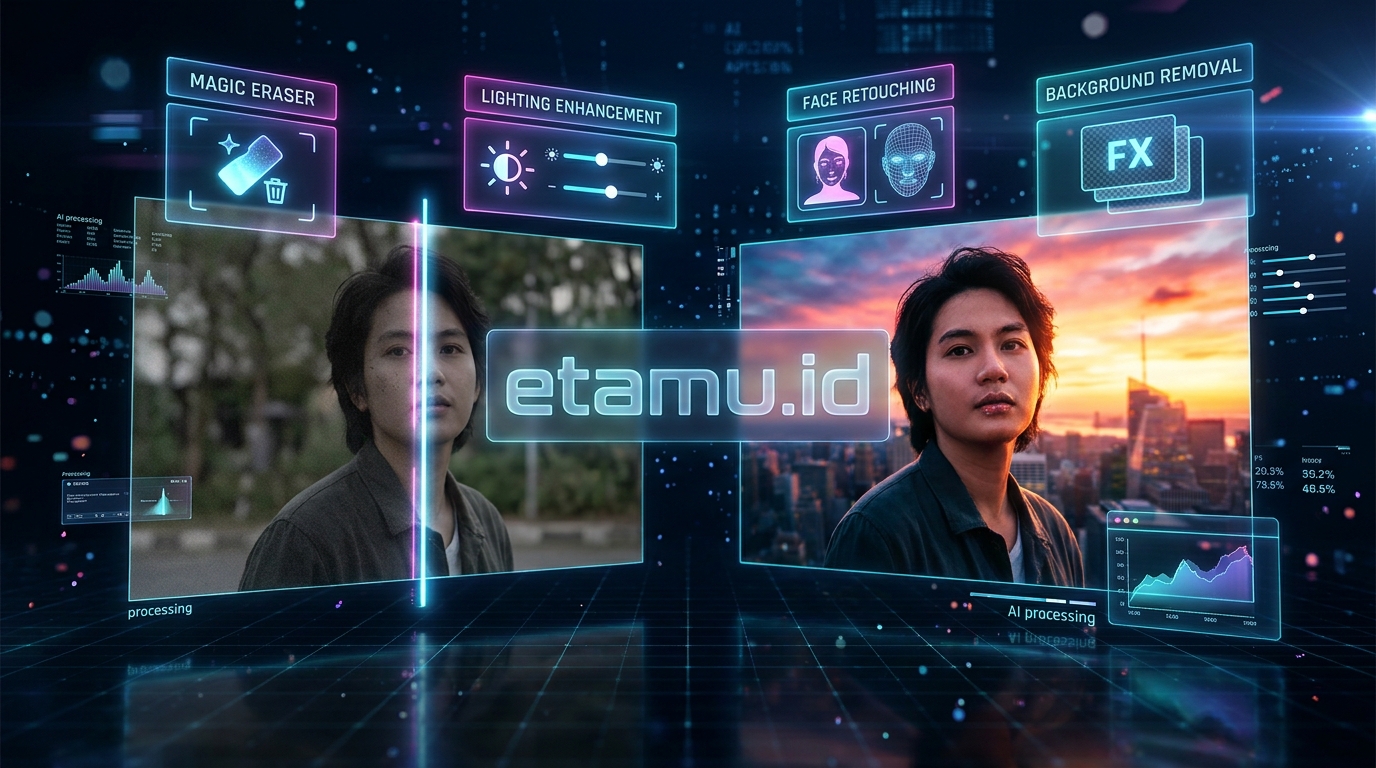
AI photo editors are becoming more capable, but understanding the main features can help you choose the right application.
AI Enhancement
AI enhancement automatically adjusts aspects such as exposure, contrast, sharpness, and color balance.
It is useful when you want to improve a photograph quickly without manually changing multiple settings.
However, automatic enhancement should be treated as a starting point. You may still need to adjust the result to match your preferred style.
Background Removal
Background removal separates the main subject from the rest of the image.
It is particularly useful for:
- Product photos.
- Profile pictures.
- Marketing graphics.
- Online store catalogs.
- Social media content.
Some tools can also generate replacement backgrounds, allowing you to create different visual styles from a single photograph.
AI Retouching
AI retouching can help remove blemishes, soften skin, improve lighting, and refine portrait details.
For professional work, avoid excessive smoothing. Natural skin texture and realistic facial details help preserve the authenticity of a portrait.
Image Upscaling
AI upscaling increases an image’s dimensions while attempting to reconstruct missing details.
It can help when preparing older or smaller photographs for larger displays. However, it cannot guarantee the recovery of information that was never captured by the original camera.
Generative Fill
Generative Fill allows users to add, remove, or replace selected image elements using text prompts.
For example, you could select an empty area and ask the editor to add a plant, change the background, or extend the scene.
Adobe Photoshop supports this type of prompt-based editing through its Generative Fill workflow. (Adobe Help Center: https://helpx.adobe.com/photoshop/desktop/generative-ai/generative-ai-features-overview.html)
Mobile AI Photo Editing
Mobile AI photo editors make it easier to improve pictures directly from a smartphone.
They are particularly useful for creators who take photos, edit them, and publish content on the same device.
Google Photos, Remini, Picsart, Canva, and Photoroom are useful options to explore, depending on the type of editing you need.
Can AI Photo Editors Replace Professional Photo Editing Software?
Not completely.
AI photo editors can automate many repetitive tasks, but professional photographers still need creative judgment and manual control.
For example, AI can help remove a distracting object, but you may still need to adjust the lighting, shadows, and composition to make the result believable.
AI editing is most effective when it supports your creative process rather than making every decision for you.
A practical workflow might look like this:
- Import your original photo.
- Use AI enhancement to improve basic image quality.
- Remove unwanted objects or distractions.
- Adjust lighting and colors manually.
- Apply retouching where necessary.
- Check the image at full resolution.
- Export the final version for its intended platform.
This approach combines the speed of AI with the control of traditional editing.
Frequently Asked Questions About AI Photo Editors
What is the best AI photo editor in 2026?
Adobe Photoshop is one of the strongest choices for professional editing because it combines advanced manual controls with AI features such as Generative Fill and Generative Expand. However, Canva is easier for beginners, Lightroom is better suited to many photography workflows, and Photoroom is useful for product images.
What is the best free AI photo editor?
Pixlr, Canva, Fotor, and Google Photos are worth exploring if you want to start without paying. Their free features and usage limits differ, so check which tools are available before choosing one.
Can AI edit photos automatically?
Yes. Many AI photo editors can automatically improve brightness, contrast, sharpness, and color. Some can also remove backgrounds, erase objects, and retouch portraits with minimal manual input.
Which AI photo editor is best for removing backgrounds?
Photoroom is a strong option for product photography and background replacement. Canva, Photoshop, and Pixlr also provide background-related editing features.
Which AI photo editor is best for portraits?
Remini is useful for quick mobile portrait enhancement, while Luminar Neo and Adobe Lightroom offer more extensive portrait and lighting adjustments. Photoshop is a good choice when detailed retouching is required.
Can AI increase photo resolution?
Yes. AI upscaling tools can enlarge images and attempt to reconstruct details. Topaz Photo AI and Photoshop’s Generative Upscale are examples of tools designed to improve image quality and resolution.
However, upscaling does not guarantee perfect results, especially when the original photo is extremely blurry or contains very little detail.
Are AI-edited photos suitable for professional use?
They can be, provided the final image meets the required quality standards. Photographers and businesses should review AI-generated changes carefully, particularly when editing faces, products, or images used for commercial purposes.
Is AI photo editing difficult for beginners?
No. Many modern tools are designed for beginners and offer one-click enhancement, automatic background removal, and simple text prompts. Canva, Fotor, Google Photos, and Photoroom are good places to start.
Final Thoughts: Which AI Photo Editor Should You Choose?
AI photo editing has made professional-looking image adjustments more accessible than ever. Whether you want to improve a portrait, remove a distracting background, restore an old photograph, or prepare product images for an online store, there is an AI-powered tool that can help.
For professional photographers, Adobe Photoshop and Lightroom offer powerful editing capabilities. Luminar Neo is a good choice for creative enhancement, while Topaz Photo AI focuses on image quality and restoration.
For beginners and social media creators, Canva, Pixlr, Fotor, and Picsart provide more accessible editing experiences. Photoroom is particularly useful for product photography, while Google Photos and Remini make mobile editing convenient.
The best approach is to start with one tool that matches your main editing needs. Try its free features or trial if available, test it with your own photographs, and compare the final results before paying for a subscription.
AI can save time, but your creative decisions still matter. Use it to simplify repetitive work, improve image quality, and spend more time creating visuals that connect with your audience.
Want to explore more AI tools for your creative workflow? Visit etamu.id for practical guides to AI presentation makers, AI tools for content creators, AI music generators, and AI productivity tools.
Related Search Keywords
Use these naturally in the article, image alt text, or future supporting content:
- What is the best AI photo editor?
- Best free AI photo editor online
- AI photo editor for beginners
- AI photo enhancer for blurry pictures
- Best AI background remover
- AI portrait retouching software
- AI photo editing apps for Android and iPhone
- How to edit photos with AI
- Best AI image upscaler
- AI object remover for photos

- 12 Best AI Photo Editors in 2026 for Fast & Easy Editing - November 14, 2026
- 10 Best AI Presentation Makers in 2026 for Work & School - November 12, 2026
- 15 Best AI Video Generators in 2026 for Creators & Businesses - October 26, 2026