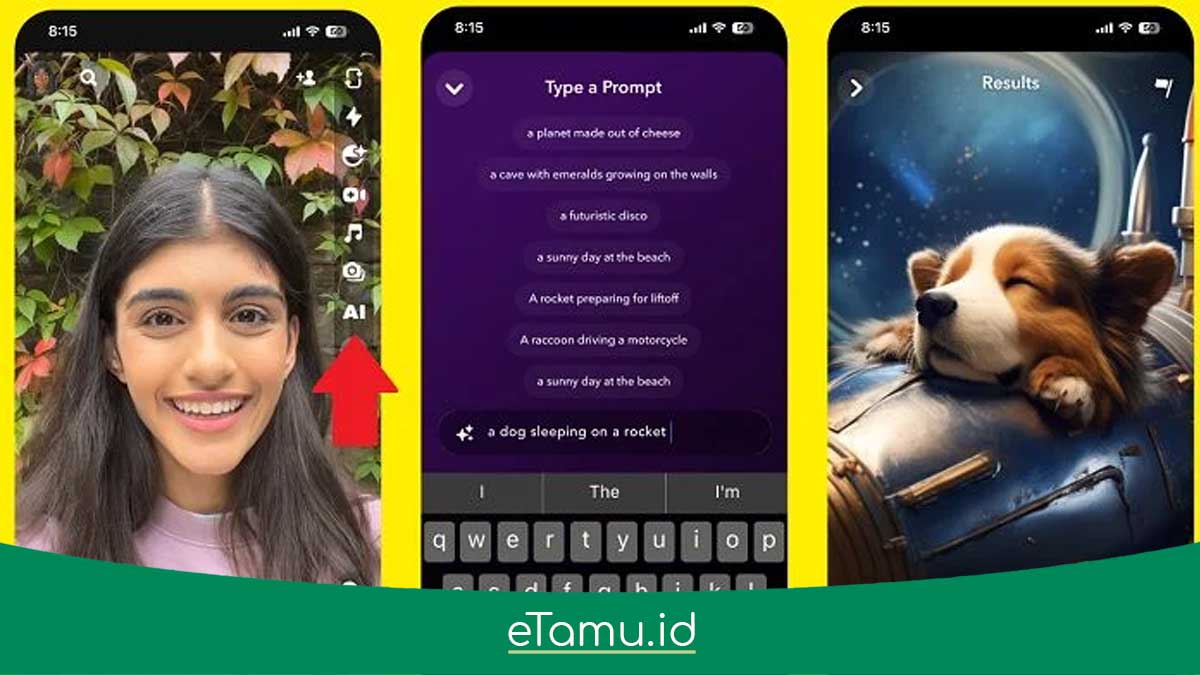
Artificial intelligence is changing how people work, study, create content, and manage everyday tasks. From writing articles and generating images to researching complex topics and editing videos, AI tools can help people accomplish more without spending hours on repetitive work.
The good news is that you do not need an expensive subscription to get started. Many AI platforms offer free plans, limited monthly credits, or basic features that are more than enough for beginners, students, bloggers, freelancers, and small businesses.
However, finding the right free AI tools can be confusing. Some platforms provide ongoing free access, while others offer only a limited number of generations or trial features. A tool that looks free at first may require a subscription when you need higher-quality exports, additional credits, or advanced features.
This guide explores the 30 best free AI tools in 2026, covering AI writing, research, image generation, video creation, productivity, design, and more. You will learn what each tool does, who should use it, and what limitations to consider before making it part of your daily workflow.
Whether you want to improve your writing, finish assignments more efficiently, create social media content, or explore artificial intelligence for the first time, this list will help you start without immediately paying for a subscription.
What Are Free AI Tools?
Free AI tools are applications that use artificial intelligence to help users complete tasks such as writing, research, design, data analysis, image generation, and video editing without requiring an initial payment.
Some platforms provide a permanent free plan with limited features. Others offer a certain number of credits, messages, or generations that users can consume before upgrading.
Common categories include:
- AI writing tools: Help draft articles, emails, summaries, and social media posts.
- AI research tools: Help find information, summarize sources, and explore complicated subjects.
- AI image generators: Turn text prompts into illustrations, artwork, and other visuals.
- AI video tools: Generate video clips, edit footage, and create captions.
- AI productivity tools: Help organize tasks, summarize meetings, and manage information.
- AI design tools: Assist with presentations, marketing graphics, and visual communication.
- AI coding tools: Help developers write, explain, and debug code.
Free tools can be useful for personal and professional projects, but their limitations matter. Always check the provider’s terms, usage limits, privacy policy, and commercial-use rules before relying on a tool for important work.
30 Best Free AI Tools in 2026
The following tools were selected to cover different everyday needs. Some offer continuing free access, while others provide limited free usage or trial features. The availability of individual models and features may change by country, account, and subscription.
1. ChatGPT — Best Free AI Assistant for Everyday Tasks
ChatGPT is a versatile AI assistant for writing, brainstorming, explaining concepts, analyzing information, and solving problems.
Students can use it to understand difficult topics, while bloggers can brainstorm article outlines, improve headlines, and organize research. It can also assist with coding, document analysis, and selected image-generation tasks.
Best for: Beginners, students, bloggers, freelancers, and general users.
Free access: The Free plan provides access to core conversational features, with limits on selected models, uploads, image generation, and research capabilities.
Limitation: Advanced features and higher usage allowances may require a paid subscription. Verify important factual claims rather than accepting every answer without checking.
Official website: https://chatgpt.com/
2. Google Gemini — Best for Google Users
Google Gemini is an AI assistant that helps users brainstorm ideas, summarize information, create drafts, and work with supported images and other content.
It is especially convenient for people who already use Google services. Depending on the product and account, Gemini may also provide access to image generation, research features, and integrations with Google’s ecosystem.
Best for: Students, researchers, professionals, and everyday users.
Free access: A free version is available, with usage limits and feature availability depending on the account and region.
Limitation: Access to advanced models and certain features may be restricted. Check the official plan details before relying on a specific capability.
Official website: https://gemini.google.com/
3. Claude — Best for Long-Form Writing
Claude is an AI assistant suited to writing, editing, summarizing documents, brainstorming, and working through complex questions.
Writers can use it to improve clarity and structure, while students can ask for explanations of difficult concepts. It is also useful for reviewing drafts and developing ideas before producing a final piece.
Best for: Writers, students, researchers, and professionals.
Free access: Claude offers a free plan with usage limits.
Limitation: Usage allowances can be restrictive when working with long documents or conducting many rounds of revision.
Official website: https://claude.ai/
4. Microsoft Copilot — Best for Quick Answers and Everyday Assistance
Microsoft Copilot provides AI-assisted answers, brainstorming, writing support, and other productivity features. It can be useful when you need a quick explanation, a first draft, or ideas for a presentation.
Users working within Microsoft’s ecosystem may also benefit from its integration with supported products and services.
Best for: Office users, students, and professionals.
Free access: Basic Copilot access is available, although capabilities vary between consumer and paid business offerings.
Limitation: Do not assume that every Microsoft 365 feature or advanced model is included in the free experience.
Official website: https://copilot.microsoft.com/
5. Perplexity — Best Free AI Research Assistant
Perplexity is designed to answer questions using information retrieved from online sources. It can help users explore unfamiliar subjects and identify websites for further reading.
For bloggers, it can provide a useful starting point for research. Students can use it to discover relevant references, while professionals can investigate industry trends.
Best for: Researchers, bloggers, students, and people who need source-backed answers.
Free access: A free plan is available, with restrictions on selected advanced research features.
Limitation: A citation does not automatically guarantee that a claim is correct. Open the original source, check the publication date, and verify important details independently.
Official website: https://www.perplexity.ai/
Best Free AI Writing Tools
AI writing tools can help you overcome writer’s block, improve grammar, and organize your ideas. However, they work best when you provide a clear brief and review the output before publishing or submitting it.
6. Grammarly — Best for Grammar and Writing Clarity
Grammarly helps users identify grammar mistakes, spelling problems, and unclear sentences. Its AI writing features can also assist with rewriting and adjusting tone.
Best for: Students, professionals, email writers, and English-language content creators.
Free access: Basic writing assistance is available for free, while more advanced generative AI features have usage limits or require a paid plan.
Limitation: Grammar tools cannot guarantee that an argument is accurate or that a piece of writing meets every academic or editorial requirement.
Official website: https://www.grammarly.com/
7. QuillBot — Best for Paraphrasing and Summarizing
QuillBot helps users rewrite sentences, summarize text, and improve readability. It can be useful when you want to simplify a complicated paragraph or explore alternative ways to express an idea.
Best for: Students, bloggers, and people writing in English as an additional language.
Free access: Selected paraphrasing and summarizing features are available with limits.
Limitation: Rewriting does not replace original thinking or proper citation. Always preserve the original meaning and cite sources when required.
Official website: https://quillbot.com/
8. LanguageTool — Best for Multilingual Grammar Checking
LanguageTool checks grammar, spelling, punctuation, and selected style issues across several languages. It can help writers catch mistakes that are easy to overlook during editing.
Best for: Multilingual writers, students, bloggers, and professionals.
Free access: A free grammar-checking plan is available.
Limitation: Advanced suggestions, longer text checks, and some premium features may require a subscription.
Official website: https://languagetool.org/
Best Free AI Research and Learning Tools
Research tools can help you find relevant sources, understand unfamiliar concepts, and organize information. They should support your research process rather than replace it.
9. Google NotebookLM — Best for Researching Your Own Sources
NotebookLM is an AI research assistant designed to work with materials you provide, such as supported documents, PDFs, and other source types.
You can use it to summarize readings, compare information across documents, and generate questions that help you understand a topic.
Best for: Students, teachers, researchers, and people working with large collections of documents.
Free access: A free version is available with usage limits.
Limitation: Answers depend on the available sources and their quality. Confirm important statements against the original documents.
Official website: https://notebooklm.google.com/
10. Elicit — Best for Academic Research
Elicit is a research tool designed to help users discover and analyze academic literature. It can assist with finding relevant papers and organizing evidence for research questions.
Best for: Students, postgraduate researchers, and people reviewing scientific literature.
Free access: Elicit provides free access with limitations on selected research tasks and usage.
Limitation: Not every relevant paper will appear in a search, and AI-generated summaries may omit important methodological details.
Official website: https://elicit.com/
11. Consensus — Best for Exploring Scientific Questions
Consensus helps users explore questions using scientific research papers. It is particularly useful when you want to investigate what published studies say about a specific topic.
Best for: Students, educators, and readers interested in evidence-based information.
Free access: A free plan is available with limits on selected searches and features.
Limitation: Scientific findings often depend on context, study quality, and the population examined. Avoid treating a simplified summary as definitive medical or scientific advice.
Official website: https://consensus.app/
12. Google AI Studio — Best for Experimenting With AI Models
Google AI Studio gives users a way to experiment with Google’s supported generative AI models and build prompt-based workflows.
It can help technically curious users test prompts, explore model capabilities, and prototype simple AI-powered applications.
Best for: Developers, students, technical writers, and AI enthusiasts.
Free access: Certain models and usage levels are available without charge, subject to quotas and eligibility.
Limitation: API usage, higher quotas, and some model capabilities may involve billing or separate terms. Never expose API keys in public code.
Official website: https://aistudio.google.com/
13. Wolfram Alpha — Best for Calculations and Technical Questions
Wolfram Alpha is a computational knowledge engine that can solve many mathematical problems and answer structured questions involving science, engineering, and statistics.
It is useful when a task requires calculations rather than a conversational explanation alone.
Best for: Students, teachers, engineers, and users studying mathematics or science.
Free access: Basic computational features are available for free.
Limitation: Step-by-step solutions and certain advanced features may require a Pro subscription. Check the calculation and understand the method instead of copying the result blindly.
Official website: https://www.wolframalpha.com/
Best Free AI Image and Design Tools
Visual content is important for websites, online stores, social media, and presentations. Free image and design tools can help creators produce useful graphics without hiring a designer for every task.
14. Canva — Best for Beginner-Friendly Design
Canva offers templates and visual editing tools for presentations, posters, social media graphics, and marketing materials. Its AI features can help users generate content and develop design concepts.
Best for: Students, bloggers, small businesses, and social media managers.
Free access: The Free plan includes many design features and selected AI capabilities, subject to usage limits.
Limitation: Some premium templates, assets, and AI features require a paid plan. Check licensing conditions before using assets in commercial projects.
Official website: https://www.canva.com/
15. Adobe Firefly — Best for AI Image Creation
Adobe Firefly helps users generate and edit visual content using text prompts. It can be useful for creating illustrations, exploring concepts, and making image adjustments.
Best for: Designers, bloggers, marketers, and content creators.
Free access: Adobe provides a free plan with limited daily generations across supported features. Premium features consume generative credits.
Limitation: Usage limits vary by feature and plan. Review the applicable commercial-use terms, particularly when using partner models.
Official information: https://www.adobe.com/products/firefly/plans.html
16. Ideogram — Best for Images Containing Text
Ideogram is worth exploring when your image needs to include text, such as a poster headline, promotional concept, or social media graphic.
Best for: Marketers, graphic designers, and social media creators.
Free access: Eligible free accounts receive limited generation credits.
Limitation: AI-generated lettering can still contain mistakes. Proofread all text and verify the applicable licensing terms before publishing commercial graphics.
Official website: https://ideogram.ai/
17. Leonardo AI — Best for Creative Artwork
Leonardo AI offers tools for generating images, developing visual concepts, and experimenting with different artistic styles.
It can help creators produce illustrations, fantasy artwork, game concepts, and other digital visuals.
Best for: Digital artists, bloggers, game creators, and hobbyists.
Free access: The platform offers a free tier with a limited daily token allowance. The exact features available can change.
Limitation: Generation and editing tasks consume tokens. Free and paid accounts may also have different privacy and licensing conditions.
Official website: https://leonardo.ai/
18. Microsoft Designer — Best for Simple Promotional Graphics
Microsoft Designer helps users create visual content for invitations, social media, and other everyday design needs.
Its AI-assisted workflow is useful when you want to produce a design without learning a complex graphics application.
Best for: Beginners, students, and small businesses.
Free access: Basic access is available, with feature availability and usage limits depending on the account and current offering.
Limitation: Advanced features may require additional access or a qualifying subscription.
Official website: https://designer.microsoft.com/
For more detailed comparisons, read etamu.id’s guide to the best AI image generators. If you are interested in art-focused applications, you can also explore Wonder AI Art Generator Pro.
Best Free AI Video and Audio Tools
Video and audio production can be expensive, but free plans and limited AI credits can help beginners experiment before investing in professional software.
19. CapCut — Best for Short-Form Video Editing
CapCut provides editing tools for short videos, including captions, effects, transitions, and selected AI-assisted features.
Best for: TikTok creators, YouTubers, and social media managers.
Free access: Many core editing features are available for free.
Limitation: Certain AI features, premium templates, and export options may require a paid plan. Review music and asset licensing before monetizing your content.
Official website: https://www.capcut.com/
20. Runway — Best for AI Video Generation
Runway helps users generate video clips from prompts and images. It is useful for exploring cinematic scenes, visual concepts, and short creative sequences.
Best for: Video creators, filmmakers, and digital marketers.
Free access: Runway’s official Free plan provides 125 one-time credits and 5 GB of asset storage. These credits do not renew after being spent, and free-plan videos include a watermark. https://help.runwayml.com/hc/en-us/articles/50404627334547-Free-plan-details
Limitation: Credits can be consumed quickly, especially when generating multiple variations. Check the available models before planning a large project.
Official website: https://runwayml.com/
21. Pika — Best for Experimental AI Video Clips
Pika is designed for generating short videos and experimenting with creative visual effects.
Best for: Social media creators, visual storytellers, and people exploring generative video.
Free access: Limited free access may be available, depending on current plan terms.
Limitation: Generation limits and model availability can change. Review the output carefully before using it in a commercial campaign.
Official website: https://pika.art/
22. Descript — Best for Editing Recorded Videos
Descript provides transcript-based video and audio editing. It can help creators edit interviews, podcasts, tutorials, and talking-head videos by working with their transcribed content.
Best for: Podcasters, educators, and YouTubers.
Free access: A free plan is available with limitations on transcription, AI features, and exports.
Limitation: Heavy production workloads may require a paid plan. Always review the transcript before deleting or rearranging spoken sections.
Official website: https://www.descript.com/
23. ElevenLabs — Best for AI Voice Generation
ElevenLabs offers AI voice generation and speech tools that can help creators produce narration for videos, demonstrations, and other audio projects.
Best for: Video creators, educators, and people producing narrated content.
Free access: A free plan is available with limited usage credits.
Limitation: Commercial rights depend on the plan and applicable terms. Obtain permission before cloning or reproducing a real person’s voice.
Official website: https://elevenlabs.io/
Best Free AI Productivity and Work Tools
AI productivity tools help users organize information, summarize meetings, and manage everyday work. The best choice depends on whether you need task management, document organization, or automation.
24. Notion — Best for Organizing Notes and Projects
Notion combines notes, documents, databases, and project management features. It is useful for organizing research, maintaining content calendars, and tracking tasks.
Best for: Students, freelancers, bloggers, and teams.
Free access: Notion has a free plan for individual use. AI capabilities are limited to trial access rather than unlimited ongoing AI usage. https://www.notion.com/pricing
Limitation: Additional AI responses and advanced features may require an upgrade.
Official website: https://www.notion.com/
25. Otter.ai — Best for Meeting Transcription
Otter.ai helps users transcribe conversations and organize meeting notes. It can be useful when you need to capture discussions without manually writing every detail.
Best for: Students, journalists, remote workers, and business teams.
Free access: A Basic plan is available with limits on transcription minutes and features.
Limitation: Transcription can contain errors, especially with accents, background noise, or overlapping speech. Obtain appropriate consent before recording meetings.
Official website: https://otter.ai/
26. Fathom — Best for AI Meeting Summaries
Fathom helps users record, transcribe, and summarize supported online meetings. It can reduce the time spent writing follow-up notes and identifying action items.
Best for: Remote workers, sales teams, and professionals who attend frequent online meetings.
Free access: Fathom offers free access for individual users, with team and advanced features varying by plan.
Limitation: Check supported meeting platforms, recording permissions, and organizational privacy policies before using it at work.
Official website: https://fathom.video/
27. Zapier — Best for Automating Repetitive Tasks
Zapier connects supported applications and automates workflows between them. Its automation ecosystem includes AI-related integrations that can help users process information or trigger actions.
Best for: Freelancers, small businesses, and people who regularly repeat the same digital tasks.
Free access: A free plan is available with task and automation limits.
Limitation: Complex workflows and higher task volumes may require a paid subscription. Test automations carefully before allowing them to modify important records or send external messages.
Official website: https://zapier.com/
More Free AI Tools for Coding, Presentations, and Music
These additional tools can help beginners explore AI-assisted development, create presentations, and experiment with music.
28. GitHub Copilot — Best for Learning and Writing Code
GitHub Copilot assists with code suggestions, explanations, and development tasks. It can be useful for beginners learning programming and developers working on familiar coding problems.
Best for: Students, developers, and coding enthusiasts.
Free access: GitHub Copilot offers a Free plan with usage limits on supported features.
Limitation: AI-generated code can contain security vulnerabilities, bugs, or unsuitable dependencies. Test code and review licenses before using it in production.
Official website: https://github.com/features/copilot
29. Gamma — Best for AI-Assisted Presentations
Gamma helps users develop presentations and other visual documents from written instructions or existing content.
It can save time when creating an initial structure for a lesson, proposal, or business presentation.
Best for: Students, teachers, entrepreneurs, and professionals.
Free access: Gamma offers a free plan with limited AI credits or generation allowances, depending on the current plan structure.
Limitation: Review generated claims, layout, and visual consistency. Export options and advanced customization may vary by plan.
Official website: https://gamma.app/
30. Suno — Best for Experimenting With AI Music
Suno enables users to generate music from written descriptions. Creators can experiment with different genres, moods, and song concepts without recording every musical element themselves.
Best for: Hobby musicians, video creators, and people exploring AI-generated music.
Free access: Suno offers limited free generation credits under its current plan structure.
Limitation: Commercial-use rights can differ by plan and by when a song was generated. Check the applicable terms before using music in monetized videos, advertisements, or commercial releases.
Official website: https://suno.com/
Comparison Table: Which Free AI Tool Should You Try First?
| Your goal | Recommended starting point | Main limitation to check |
|---|---|---|
| General AI assistance | ChatGPT | Message and feature limits |
| Research and web sources | Perplexity | Advanced search limits |
| Academic documents | NotebookLM | Source and usage limits |
| Writing and grammar | Grammarly | Premium writing features |
| Paraphrasing | QuillBot | Free usage limits |
| AI image generation | Adobe Firefly | Daily generations |
| Images with text | Ideogram | Credits and licensing |
| Digital artwork | Leonardo AI | Daily tokens |
| Social media design | Canva | Premium assets and AI limits |
| AI video generation | Runway | One-time credits and watermark |
| Short-form video editing | CapCut | Premium tools and asset rights |
| AI voiceovers | ElevenLabs | Credits and commercial rights |
| Meeting summaries | Fathom | Supported integrations and features |
| Project organization | Notion | Limited AI trial |
| Coding assistance | GitHub Copilot | Monthly usage limits |
| Presentations | Gamma | Generation credits |
| AI music | Suno | Commercial-use conditions |
The best approach is to start with one tool that addresses your most frequent problem. You can add other tools as your needs grow.
How to Use Free AI Tools Without Paying for Subscriptions
You can build a useful AI workflow without subscribing to every platform. The key is to choose tools based on your actual needs rather than collecting accounts you rarely use.
1. Identify Your Main Task
Decide what you want to accomplish. For example, a student may need help understanding research papers, while a blogger may need writing assistance and article illustrations.
Start with one or two tasks instead of trying to automate everything at once.
2. Choose One Main Tool for Each Job
You do not need five writing assistants if one already meets your needs. Choose a primary tool for writing, research, image creation, or video editing, and use alternatives only when they provide a meaningful advantage.
3. Learn the Free Usage Limits
Check whether credits renew daily or monthly, whether trial access expires, and whether the free plan includes exports without watermarks.
For example, Runway’s 125 free credits are a one-time allocation, while Adobe Firefly provides limited daily generations. These plans work differently, so plan your projects accordingly.
4. Use Clear Prompts
Explain the task, audience, format, tone, and desired result. A specific prompt often reduces the number of revisions you need.
For example, instead of asking an AI tool to “write a blog post,” specify the target reader, topic, outline, intended length, and information that must be verified.
5. Verify Important Information
AI tools can produce outdated facts, incorrect citations, and misleading summaries. Check important claims against trustworthy sources before publishing an article, submitting an assignment, or making a business decision.
6. Upgrade Only When Necessary
Consider paying only when a free plan repeatedly prevents you from completing important work. Compare the cost against the time saved, additional output, and practical value of the premium features.
Limitations of Free AI Tools You Should Understand
Free AI tools are useful, but they are not unlimited replacements for every professional service.
Usage Limits and Credits
Free plans may restrict the number of messages, generations, transcription minutes, or exports. Some limits reset periodically, while others apply only once.
Watermarks and Export Restrictions
Video and design tools may add watermarks or restrict resolution on free plans. Check export settings before building a project around a specific platform.
Privacy and Data Handling
Avoid uploading confidential business documents, private customer records, sensitive personal information, or unpublished client materials without checking the provider’s data policies and your organization’s requirements.
Copyright and Commercial Use
A free account does not automatically grant commercial rights to every output. Music, images, videos, templates, and AI-generated assets can have different licensing conditions.
Accuracy and Originality
AI-generated content may be incorrect, repetitive, or too generic. Use human judgment to improve the result, add original insight, and ensure that the final work serves its audience.
Changing Features and Prices
AI platforms evolve quickly. Free plans can lose features, introduce new limits, or change their model availability. Check the official pricing page before depending on a tool for regular work.
Frequently Asked Questions About Free AI Tools
1. What are the best free AI tools in 2026?
Some useful starting points include ChatGPT for general assistance, Gemini for Google-oriented workflows, Perplexity for research, Canva for design, CapCut for video editing, and NotebookLM for working with documents.
The best tool depends on the task you need to complete.
2. Are free AI tools really free?
Some provide ongoing free plans, while others offer limited credits or trial features. A free plan may include usage limits, watermarks, restricted exports, or fewer model options.
Always read the provider’s current plan details before using a tool for an important project.
3. Which free AI tools are best for students?
ChatGPT, Gemini, NotebookLM, Grammarly, Wolfram Alpha, and GitHub Copilot can help students understand concepts, organize research, improve writing, and practice coding.
Students should follow their institution’s academic integrity policies and disclose AI assistance when required.
4. Which free AI tools are best for content creators?
Canva and Adobe Firefly can help with graphics, while CapCut supports video editing. ChatGPT can assist with brainstorming and scripting, and ElevenLabs or Suno can support selected audio workflows.
Check usage limits and licensing conditions before monetizing the results.
5. Can I use free AI-generated images commercially?
Sometimes. Commercial-use permission depends on the tool, model, plan, and applicable license. Check whether the provider permits commercial use of free-tier outputs and whether any additional restrictions apply.
6. What is the best free AI writing tool?
ChatGPT and Gemini are useful for general writing assistance, while Grammarly focuses on grammar and clarity. QuillBot can help with paraphrasing and summarization.
No tool guarantees publication-ready writing. Review the result for accuracy, originality, and appropriate citations.
7. Can free AI tools replace paid software?
For simple tasks, free tools may be sufficient. However, professional users may need advanced editing, larger usage allowances, collaboration features, higher-quality exports, or stronger privacy controls.
Try the free version before deciding whether a paid subscription is worthwhile.
8. Are free AI tools safe to use?
Many established providers offer legitimate services, but safety depends on the tool and how you use it. Review privacy policies, protect sensitive data, verify outputs, and be cautious with unfamiliar websites or requests for unnecessary permissions.
9. Can I earn money using free AI tools?
Yes, free AI tools can support services such as writing, graphic design, video editing, research assistance, and content production. However, using a tool does not guarantee income.
Your results depend on the quality of your work, customer demand, your skills, and whether your intended commercial use complies with the relevant licenses.
10. Should beginners use several AI tools at once?
It is usually better to start with one or two tools. Learn how to use them effectively, understand their limitations, and add another tool only when it solves a specific problem.
This approach can save time and prevent unnecessary subscriptions.
Conclusion: Start With Free AI Tools and Build Your Skills
The best free AI tools in 2026 make it easier for beginners, students, creators, and budget-conscious users to explore artificial intelligence without committing to expensive subscriptions.
ChatGPT and Gemini can help with everyday tasks, Perplexity and NotebookLM support research, Canva and Adobe Firefly assist with visual creation, and CapCut helps creators edit videos. Meanwhile, tools such as Notion, GitHub Copilot, Gamma, and Suno offer additional ways to organize work, develop software, create presentations, and experiment with music.
You do not need all 30 tools to get started. Choose two or three that address your biggest challenges, learn their features, and evaluate whether they genuinely improve your workflow.
Remember that free access comes with limitations. Check usage allowances, verify information, protect sensitive data, and review commercial-use rights before publishing or selling AI-generated work.
Ready to explore more AI tools? Visit etamu.id for more guides on useful AI applications, creative workflows, and emerging technology. Start small, experiment responsibly, and focus on using AI to create work that is genuinely useful to your audience.

- 30 Best Free AI Tools in 2026 You Can Use Right Now - October 27, 2026
- Anonymous Instagram Viewer Lihat Story IG dari Private Profile - October 26, 2026
- GTA SA Lite Apk + OBB Mod Indonesia Offline Tanpa Root - October 26, 2026