Artificial intelligence has changed the way people create visual content. What once required hours of drawing, photography, or graphic design can now begin with a simple text prompt. Whether you are a professional designer, blogger, digital marketer, or content creator, an AI image generator can help you turn creative ideas into images in minutes.
However, choosing the right tool is not always easy. Some AI image generators excel at photorealistic images, while others are better at illustrations, marketing graphics, product concepts, or images containing readable text. Pricing, generation limits, editing features, and commercial usage rights also vary from one platform to another.
In this guide, we compare the 15 best AI image generators in 2026, including free AI image generators and premium tools for professional use. You will learn how these platforms work, which tools suit different creative projects, and what to consider before using AI-generated images for your business.
If you want to create blog illustrations, social media graphics, advertising campaigns, website visuals, or concept art, this comparison will help you find the right solution for your needs and budget.
What Is AI Image Generation?
AI image generation is the process of creating images using artificial intelligence models that interpret written instructions, reference images, or other inputs. Instead of manually drawing every element, users describe what they want and let the AI model generate a visual result.
For example, a blogger could enter the prompt, “A modern home office with natural lighting, wooden furniture, green plants, and a minimalist interior design, realistic photography.” The AI system then produces an image based on that description.
Most modern AI image generators offer several capabilities:
- Text-to-image generation: Create an image from a written description.
- Image-to-image generation: Use an existing image as a reference for a new visual.
- AI image editing: Change backgrounds, remove objects, adjust compositions, or add details.
- Style transformation: Turn an idea into a realistic photograph, digital painting, illustration, or other visual style.
- Image expansion and upscaling: Extend an image beyond its original borders or improve its resolution.
- Design assistance: Generate visual assets for advertising, websites, presentations, and social media.
These features make AI image generation useful for individuals and businesses that need attractive visuals without building every image from scratch.
However, the quality of the result depends on the model, the prompt, the reference materials, and the editing process. AI is a creative assistant rather than a guarantee of perfect output.
15 Best AI Image Generators in 2026
The following tools were selected to represent different creative needs, from accessible image generation to advanced artistic workflows and professional design production. They are not ranked through a single universal performance test; the best option depends on your intended use.
Pricing and access can change by country, billing cycle, subscription, and promotion. The descriptions below distinguish free access from paid capabilities wherever possible. Check each provider’s official website before purchasing a subscription.
1. ChatGPT Images — Best for Everyday Image Creation
ChatGPT Images is a practical choice for creators who want to generate and edit images through natural-language instructions. Users can describe an idea conversationally, request a visual, and refine the result with follow-up instructions.
For example, a blogger can request a featured image for an article, then ask for a different background, a wider composition, or a more realistic lighting style without rewriting the entire prompt.
Key features:
- Text-to-image generation through conversational prompts.
- Editing existing images using written instructions.
- Support for adding text and creating transparent backgrounds.
- Useful for brainstorming, illustrations, and editorial visuals.
Pricing: Limited image generation is available on the Free plan. Paid plans offer higher usage allowances or additional image-generation capabilities, subject to plan limits.
Best for: Bloggers, general content creators, small businesses, and people who prefer a straightforward creative workflow.
Potential limitation: Usage limits depend on the plan, and highly specialized production workflows may require dedicated design or image-editing software.
Official information: https://help.openai.com/en/articles/11084440-images-in-chatgpt
2. Midjourney — Best for Artistic and Cinematic Images
Midjourney is widely recognized for its distinctive artistic output, detailed environments, dramatic lighting, and visually polished compositions. It is particularly appealing to designers and creators who want images with a strong aesthetic identity.
It can be useful for fantasy illustrations, fashion concepts, architectural inspiration, editorial artwork, and campaign mood boards.
Key features:
- Highly stylized visual generation.
- Detailed lighting, textures, and composition.
- Tools for exploring visual variations and developing a consistent style.
- Web-based creation and additional workflow options.
Pricing: Paid subscriptions start with the Basic plan at $10 per month, or $96 annually when paid upfront at the listed annual rate. Higher tiers offer additional generation capacity and privacy features.
Best for: Artists, creative agencies, concept designers, and creators who prioritize visual impact.
Potential limitation: It may take experimentation to achieve precise results. Users who need editable layers or highly controlled brand layouts may need another application after generation.
Commercial-use note: Midjourney’s terms generally permit commercial use of images you create, but companies generating more than $1 million in annual gross revenue must use a Pro or Mega plan for commercial company use. Review the current terms before publishing.
Official information: https://docs.midjourney.com/hc/en-us/articles/27870484040333-Comparing-Midjourney-Plans
3. Adobe Firefly — Best for Professional Creative Workflows
Adobe Firefly is designed for creative production and integrates with Adobe’s broader ecosystem, including Photoshop, Illustrator, and Adobe Express. This makes it attractive to designers who want AI generation alongside familiar editing tools.
Rather than treating generated images as finished products, users can incorporate them into a larger workflow involving retouching, layouts, branding, and campaign production.
Key features:
- Text-to-image generation.
- Generative image editing and object replacement.
- Integration with compatible Adobe applications.
- Access to different generative models through eligible plans.
- Content Credentials for supported workflows.
Pricing: Adobe offers a free entry point with limited access, alongside paid Firefly plans. Its official plan page lists several tiers with different monthly generative-credit allowances and application benefits.
Best for: Marketing teams, professional designers, publishers, and businesses already using Adobe software.
Potential limitation: Premium features consume credits, and costs can increase for users who generate large quantities of images or use more resource-intensive models.
Commercial-use note: Adobe describes its own Firefly models as designed for commercially safe generation and trained on licensed and public-domain content. Outputs from partner models may have different considerations, so verify the model and applicable terms.
Official information: https://www.adobe.com/products/firefly/plans.html
4. Google Gemini Image Generation — Best for Google Ecosystem Users
Google’s Gemini ecosystem offers image-generation capabilities that allow users to create and refine visuals through natural-language conversations. Image models and availability may differ across Gemini products, developer services, and subscription plans.
The conversational approach is useful when you need to explore several visual ideas or modify an existing concept through a series of instructions.
Key features:
- Conversational image creation and editing.
- Natural-language instructions for visual changes.
- Useful for concept development and explanatory illustrations.
- Integration with Google’s AI ecosystem, depending on the product.
Pricing: Free access may be available with usage limits. Paid Google AI subscriptions and developer services have different features, limits, and billing arrangements.
Best for: Bloggers, educators, marketers, and users already working with Google services.
Potential limitation: Access to specific image models and generation limits may vary by region, account, subscription, and product.
Before using generated images commercially, review the terms that apply to the exact Google service you use.
Official starting point: https://gemini.google.com/
5. Ideogram — Best for Images With Text
Ideogram is especially useful for designs that combine imagery with words. Examples include promotional posters, event announcements, social media graphics, book-cover concepts, and advertising mockups.
AI-generated text has historically been a difficult problem because image models may produce misspelled words or distorted lettering. Ideogram’s focus on text rendering makes it worth considering when typography is a central part of the design.
Key features:
- Text-to-image generation.
- Typography-oriented visual design.
- Image editing and reference-based workflows.
- Multiple generation models and quality settings.
- Private generation on eligible paid plans.
Pricing: Eligible free accounts receive weekly credits, with the amount subject to change. The official pricing page lists Plus at $20 monthly, or $15 per month when billed annually, and Pro at $60 monthly, or $42 per month annually.
Best for: Social media managers, advertisers, poster designers, and creators who need text inside their images.
Potential limitation: Text accuracy should still be checked carefully. For final commercial graphics, review every word, punctuation mark, and brand element.
Commercial-use note: Ideogram states that users do not have to transfer ownership of their generated images to the platform and may use them commercially, subject to its terms.
Official information: https://ideogram.ai/pricing/
6. Leonardo AI — Best for Creative Control and Game Assets
Leonardo AI offers a broad set of image-generation and editing tools for users who want greater control over their visual output. It can support character concepts, fantasy environments, product concepts, game assets, and stylized illustrations.
Its token-based system gives users access to different generation and processing capabilities depending on their subscription.
Key features:
- Multiple image-generation models.
- Image guidance and reference-based workflows.
- Editing and image-enhancement tools.
- Creative assets for gaming, illustration, and design.
- Daily generation tokens on the free tier.
Pricing: Leonardo’s official pricing page lists a Free plan with 150 fast tokens per day. Paid plans provide larger monthly allowances and additional capabilities.
Best for: Game developers, digital artists, concept designers, and creators producing visual assets in batches.
Potential limitation: Different models and processing features consume different amounts of tokens. Plan carefully if you expect frequent high-resolution generation.
Commercial-use note: Leonardo’s terms distinguish free and paid users. Free users receive a commercial-use license under the platform’s stated conditions, while paid subscribers receive different ownership and intellectual-property rights. Publicly generated assets may also have different privacy implications.
Official information: https://www.leonardo.ai/pricing/
7. Canva AI Image Generator — Best for Social Media and Marketing
Canva is an accessible option for people who want to create images and immediately place them into finished designs. Its AI image-generation capabilities work alongside templates and tools for social media posts, presentations, flyers, and promotional materials.
This makes it particularly useful for marketers who value speed and convenience over highly specialized image-model controls.
Key features:
- AI image generation within a design workflow.
- Templates for social media and marketing materials.
- Easy placement of generated images into layouts.
- Additional editing and content-design features.
Pricing: Availability and usage limits depend on the Canva plan and the specific AI feature. Some AI features may be accessible to free users, while higher allowances and additional capabilities may require a paid subscription.
Best for: Small businesses, social media managers, bloggers, and non-designers.
Potential limitation: A generated image may still need manual editing to fit a particular layout, brand identity, or campaign requirement.
Commercial-use note: Canva permits commercial use of AI-generated images under its applicable terms, but it does not guarantee that every result is cleared for use or that the image will be exclusive to you. Check trademarks, recognizable characters, and third-party rights.
Official information: https://www.canva.com/ai-image-generator/
8. Recraft — Best for Brand Graphics and Vector-Style Assets
Recraft is a useful choice for designers who create brand visuals, icons, illustrations, and graphics that need to fit into a consistent design system. It is particularly relevant when visual assets need to work across websites, marketing materials, and product interfaces.
Key features:
- AI image and illustration generation.
- Vector-oriented creative workflows.
- Design assets for branding and marketing.
- Image editing and style exploration.
Pricing: Recraft offers free and paid access, with usage limits and features depending on the plan. Check the current pricing page before choosing a subscription.
Best for: Brand designers, UI designers, agencies, and marketing teams.
Potential limitation: It may not be the best choice for every photorealistic scene or highly specialized photographic workflow.
Important commercial-use note: Recraft’s current terms restrict commercial use of assets generated on its free tier. Paid and free assets therefore should not be treated as interchangeable. Verify the license attached to your output before using it in an advertisement, product, or monetized website.
Official information: https://www.recraft.ai/legal/terms
9. FLUX — Best for Customization and Advanced Workflows
FLUX is a family of image-generation models developed by Black Forest Labs. Rather than being a single consumer application, FLUX models are available through different interfaces, hosted platforms, and developer workflows.
This flexibility can make FLUX attractive to technically experienced creators who want more control over how images are generated.
Key features:
- Text-to-image generation.
- Model options suited to different creative requirements.
- Integration through supported third-party platforms and APIs.
- Potential for customized and developer-led workflows.
Pricing: Costs depend on the model, provider, hosting service, or API used. Some interfaces offer free trials or limited access, while others charge per generation or through subscriptions.
Best for: Developers, AI enthusiasts, creative studios, and technically experienced designers.
Potential limitation: Setup and licensing can be more complicated than using a single consumer-facing application. The license of a particular FLUX model may differ from the terms of the platform hosting it.
Before commercial deployment, check both the model license and the hosting provider’s terms.
Official starting point: https://blackforestlabs.ai/
10. Microsoft Designer — Best for Quick Everyday Designs
Microsoft Designer combines AI-assisted visual creation with tools for producing graphics and other everyday design materials. It is a convenient option for users who want to create promotional visuals without learning a complex design application.
Key features:
- AI-assisted image and design creation.
- Prompt-based visual exploration.
- Tools for social graphics and simple promotional materials.
- Integration with Microsoft’s broader consumer productivity ecosystem, depending on availability.
Pricing: Access and usage limits can depend on your Microsoft account, region, and current product offering. Check the official Designer website for current availability.
Best for: Individuals, small businesses, students, and creators who need simple visuals quickly.
Potential limitation: Users seeking advanced control over model parameters, custom training, or complex production pipelines may prefer a specialized platform.
Official starting point: https://designer.microsoft.com/
11. Stable Diffusion — Best for Local Generation and Customization
Stable Diffusion is an image-generation model family associated with Stability AI. Depending on the model and setup, users can run compatible workflows locally, use hosted services, or integrate generation into applications.
Local generation can be appealing to advanced users who want greater control over their creative process and computing environment.
Key features:
- Flexible image-generation workflows.
- Support for compatible community tools and extensions.
- Potential for fine-tuning and customized styles.
- Options for local or hosted generation, depending on the model.
Pricing: Some model use and local workflows may be available without a subscription, but hardware, hosting, APIs, and third-party applications can incur costs.
Best for: Developers, advanced creators, researchers, and users who want customizable workflows.
Potential limitation: Local installation may require a suitable computer, technical knowledge, and time to configure the software.
Commercial-use note: Stability AI’s Community License permits commercial use of covered core models for individuals and organizations below the stated $1 million annual-revenue threshold, subject to its terms. Larger organizations may need an Enterprise License. Always confirm the license for the exact model you download.
Official information: https://stability.ai/license
12. NightCafe — Best for Exploring Different Artistic Styles
NightCafe is a creative platform for generating and exploring AI artwork. It can be useful for people who enjoy experimenting with different models and visual approaches without building a complex local workflow.
Key features:
- AI artwork generation.
- Multiple model and style options, depending on availability.
- Community-oriented creative exploration.
- Tools for experimenting with different prompts and visual concepts.
Pricing: NightCafe uses a credit-based system and may provide free ways to earn or access credits. Paid credit packs and subscription options depend on the current offering.
Best for: Hobbyists, digital artists, and creators exploring different visual styles.
Potential limitation: Credit costs and usage rights may differ according to the model and platform terms. Review the applicable rules before using an output commercially.
Official starting point: https://creator.nightcafe.studio/
13. DreamStudio — Best for Accessing Stability AI Models
DreamStudio is associated with Stability AI’s image-generation ecosystem and provides a more direct interface for working with supported image models.
It can appeal to users who want to experiment with model settings without configuring a local installation.
Key features:
- Browser-based image generation.
- Prompt-driven creative workflows.
- Access to supported Stability AI models and controls.
- A relatively direct path from prompt to image.
Pricing: Availability, supported models, and usage charges can change. Check the official service for the current payment structure before relying on it for regular production.
Best for: Creators who want to experiment with Stability AI technology through a hosted interface.
Potential limitation: Model availability and pricing may change over time. DreamStudio should not be confused with every third-party application that uses Stable Diffusion.
Official starting point: https://dreamstudio.ai/
14. Reve — Best for Following Detailed Prompts
Reve is another option for creators who want an image generator that closely follows written instructions. It can be worth testing for visual concepts where composition, specific objects, and the relationship between elements matter.
Key features:
- Prompt-based image generation.
- Support for creative experimentation.
- Options for exploring different visual concepts.
- Web-based access.
Pricing: Reve has offered limited free access and paid plans, but availability and prices may change. Check the current official pricing information before subscribing.
Best for: Bloggers, designers, and creators who want to compare prompt-following performance.
Potential limitation: Results can vary by prompt and image type. Test it with your own real projects instead of relying only on example images.
Official starting point: https://reve.art/
15. Fotor AI Image Generator — Best for Simple Image Editing and Creation
Fotor combines image editing with AI-powered creative tools. It is suitable for users who want to create a visual and then make practical adjustments without switching between several applications.
Key features:
- Text-to-image generation.
- Photo editing and enhancement.
- Creative effects and image transformations.
- Tools for everyday social and marketing visuals.
Pricing: Free access and paid plans may be available, with generation credits and advanced editing features varying by subscription.
Best for: Beginners, bloggers, online sellers, and small businesses.
Potential limitation: Credit limits, export options, and commercial-use conditions depend on the current plan and applicable terms.
Official starting point: https://www.fotor.com/
Comparison Table: Which AI Image Generator Should You Choose?
The table below summarizes the main strengths of each tool. Pricing categories describe the general access model, not a guarantee that every feature is free or included in every subscription.
| AI image generator | Best use case | Free access | Paid option |
|---|---|---|---|
| ChatGPT Images | General image creation and editing | Limited | Higher usage limits |
| Midjourney | Artistic and cinematic visuals | Generally paid subscription | Yes |
| Adobe Firefly | Professional creative workflows | Limited access | Yes |
| Google Gemini | Conversational image creation | Limited access may be available | Yes |
| Ideogram | Text-heavy graphics | Limited credits | Yes |
| Leonardo AI | Game assets and creative control | Daily tokens | Yes |
| Canva | Social media and marketing | Selected features | Yes |
| Recraft | Brand graphics and illustrations | Limited, non-commercial under free terms | Yes |
| FLUX | Custom and technical workflows | Depends on provider/model | Depends on provider |
| Microsoft Designer | Simple everyday graphics | Availability-dependent | Availability-dependent |
| Stable Diffusion | Local generation and customization | Some models and workflows | Optional costs |
| NightCafe | Artistic experimentation | Credit-based free access may be available | Yes |
| DreamStudio | Hosted image generation | Check current availability | Check current pricing |
| Reve | Prompt-driven visuals | Limited access may be available | Yes |
| Fotor | Image generation and editing | Selected features | Yes |
For a beginner, ChatGPT Images, Canva, and Microsoft Designer are good places to start. For artistic exploration, consider Midjourney or NightCafe. For professional production, evaluate Adobe Firefly, Ideogram, or Recraft. Advanced users may prefer FLUX or Stable Diffusion when customization is a priority.
Best Free AI Image Generators in 2026
If you are searching for the best free AI image generator, start by identifying how many images you need and whether you intend to use them commercially.
A free plan can be sufficient for experimentation, personal projects, and occasional blog illustrations. However, free access may come with daily or weekly limits, slower queues, public galleries, reduced export options, or restrictions on commercial use.
Here are several options worth exploring:
ChatGPT Images
A useful starting point for generating and revising images through conversational instructions. The free plan includes limited image generation, so check your current usage allowance.
Leonardo AI
Its free tier lists 150 fast tokens per day. This can help users experiment with different image styles, although tokens are also used for other supported generation and processing tasks.
Ideogram
Eligible free accounts receive weekly credits. It is especially worth testing if your images need readable text, such as a poster headline or promotional graphic.
Canva
Canva is convenient for combining AI-generated visuals with finished layouts. Check which generation features are included in your account and whether you have enough usage capacity for your project.
Adobe Firefly
Adobe provides a limited entry point for trying its generative tools. It is a practical option if you expect to edit the output using other Adobe applications.
Important: Free access does not automatically mean free commercial rights. Before publishing an image on a monetized website, selling a design, or using it in advertising, verify the current terms for the exact tool and plan.
How Does Text-to-Image AI Work?
Text-to-image AI converts a written description into a visual result using a trained generative model. Although the underlying technology can be complex, the user workflow is relatively simple.
- Write a prompt. Describe the subject, environment, style, lighting, and composition.
- Submit the prompt. The AI model interprets the instructions and generates one or more images.
- Review the results. Check whether the image matches your idea and whether important details are accurate.
- Refine the prompt. Add missing details, remove unwanted elements, or adjust the style.
- Edit and export. Use the platform’s editing tools or another image editor to prepare the final file.
For example, compare these two prompts:
Basic prompt: “A modern dining room.”
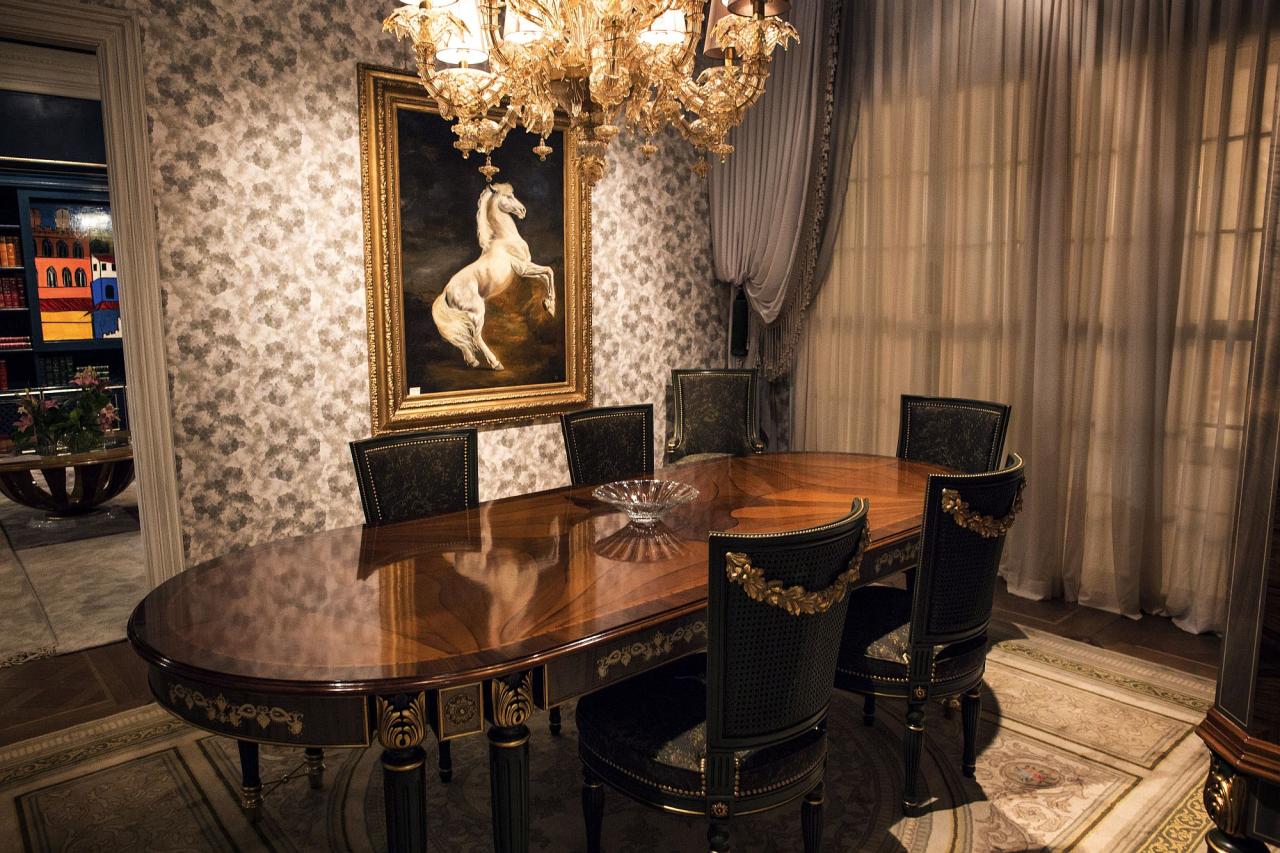
Improved prompt: “A photorealistic modern dining room with a natural oak dining table, six upholstered chairs, warm pendant lighting, soft daylight through large windows, neutral beige walls, tasteful indoor plants, editorial interior photography, wide horizontal composition, no people.”
The second prompt gives the model more information about the subject, materials, atmosphere, lighting, and composition. This often makes it easier to achieve a useful result, although prompt detail alone does not guarantee accuracy.
For additional design inspiration, explore these etamu.id articles:
These interior-design topics can also provide useful prompt ideas when generating room concepts, editorial illustrations, or home-design visuals.
How to Choose the Right AI Image Generator
The most expensive tool is not necessarily the best choice. The right platform depends on the type of images you produce, your workflow, and the restrictions that matter to your business.
1. Identify Your Main Creative Goal
Start by defining your primary use case.
- Blogging: Look for reliable image generation, appropriate aspect ratios, and easy editing.
- Social media: Prioritize fast creation, reusable layouts, and convenient export options.
- Advertising: Look for commercial-use clarity, consistent branding, and strong control over composition.
- Digital art: Consider style flexibility, reference images, and creative controls.
- Product design: Prioritize visual consistency, realistic materials, and the ability to revise details.
- Professional design: Look for integration with editing software, team workflows, and appropriate licensing.
2. Compare Free Limits and Subscription Costs
Do not compare monthly subscription prices alone. Consider how many usable images you can produce with your allowance.
For example, a plan that generates many low-cost drafts may be more economical than a premium plan if your workflow involves extensive experimentation. Conversely, a tool that creates a strong first result may save time if you need only a few images.
Check whether the plan charges by credits, generation time, image count, resolution, or a combination of these factors.
3. Test Image Quality With the Same Prompt
A fair comparison requires more than looking at promotional examples. Use the same prompt across several platforms and evaluate the results against your actual needs.
Check:
- Subject accuracy.
- Lighting and composition.
- Realistic textures.
- Readable text, when needed.
- Hands, faces, and small details.
- Ability to revise the result.
- Output dimensions and image quality.
A short test using your own content can reveal more than a long list of general rankings.
4. Consider Workflow and Editing Features
A good image is only part of the process. You may also need to remove a background, expand the canvas, adjust colors, add typography, or resize an image for multiple channels.
If you already use a design platform, integration can save time and reduce the number of tools you need to manage.
5. Review Privacy and Commercial Terms
Before uploading confidential product images, unpublished campaigns, client materials, or personal photographs, review the provider’s data-handling and privacy policies.
Also check whether your outputs are public by default, whether the provider can use uploaded content under its terms, and whether a paid plan offers additional privacy controls.
Can You Use AI-Generated Images Commercially?
Yes, many AI image generators permit some forms of commercial use, but the rules differ by provider, model, account type, and subscription.
Commercial use can include placing images in a monetized blog, advertising a product, designing marketing materials, or incorporating artwork into a business project.
However, permission to use an image commercially does not automatically guarantee exclusive ownership, copyright protection, or freedom from third-party claims.
Before publishing or selling an AI-generated image, review the following points.
Check the License for Your Specific Plan
A platform may permit commercial use for paid users while imposing restrictions on free users. Recraft, for example, restricts commercial use of its free-tier assets under its current terms. Leonardo AI also distinguishes between free and paid users’ rights.
Never assume that a license from one service applies to another service or to a different model hosted on the same platform.
Avoid Unauthorized Logos and Protected Characters
An image generator might create visuals resembling a recognizable brand, fictional character, celebrity, or copyrighted artwork. Using such an image in a commercial campaign can create legal or reputational risks.
If your project depends on a specific trademark, licensed character, or third-party photograph, obtain the appropriate permission where necessary.
Understand Copyright Limitations
Copyright protection for AI-generated images varies across jurisdictions and depends on the circumstances, including the level of human creative contribution. A platform’s commercial-use permission is not the same as a guarantee that you hold exclusive copyright over the output.
For valuable commercial projects, document your creative process, retain relevant license information, and seek qualified legal advice when necessary.
Keep Records of Your Creative Process
For business projects, consider saving:
- The original prompt.
- The generated image and any reference materials.
- The tool, model, and subscription used.
- Relevant terms or license information.
- Details of any substantial human editing.
These records can help you manage assets consistently and answer questions about how a visual was created.
Tips for Creating Better AI Images
You do not need to be an expert prompt engineer to produce useful images. A clear creative brief and a structured review process can improve results.
Be Specific About the Subject
Instead of asking for “a beautiful kitchen,” describe the features that matter: cabinet materials, countertop color, lighting, layout, and overall atmosphere.
Specify the Visual Style
Useful style descriptions include photorealistic product photography, editorial illustration, minimalist vector art, watercolor painting, or cinematic concept art. Use styles that suit your project rather than adding unrelated keywords.
Describe the Composition
Tell the model where the main subject should appear and how the image will be used. A wide horizontal composition may suit a website hero image, while a vertical composition may be more appropriate for a social media story.
Generate Variations and Compare Them
Do not automatically publish the first result. Compare several versions and select the one that communicates your message most effectively.
Review Small Details
Inspect faces, fingers, text, reflections, product labels, architectural features, and background objects. Even a visually impressive result can contain mistakes that become obvious at full size.
Edit the Final Image
Use conventional editing tools to correct color, crop the image, improve contrast, add approved brand elements, and ensure the final dimensions meet your publishing requirements.
Optimize Images for Your Website
For blog publishing, choose an appropriate aspect ratio, compress images without noticeably reducing quality, and use descriptive filenames and alt text. Include relevant keywords naturally rather than stuffing every image attribute with repeated search terms.
For example, a descriptive filename such as ai-image-generator-interior-design-example.webp is more informative than IMG12345.webp.
How Bloggers and Marketers Can Benefit From AI Image Generators
AI image generation can be particularly valuable for websites that publish frequently and need original supporting visuals.
Blog Featured Images
Bloggers can create visuals tailored to each article instead of relying exclusively on generic stock photography. A well-designed featured image can help communicate the topic and make a page more recognizable when shared.
Social Media Content
Marketers can use AI-generated images as starting points for social posts, campaign concepts, and promotional graphics. Reusable prompts can help maintain a consistent visual direction.
Website and Landing Page Graphics
AI can help create illustrations for service pages, explanatory sections, and concept presentations. Important claims, product demonstrations, and factual illustrations should still be checked for accuracy.
Design Inspiration
Interior designers and home-improvement publishers can explore visual concepts before developing a final design. For example, creators working on dining-room articles can experiment with Spanish Colonial, Japanese Modern, or French Country aesthetics.
For more AI-related resources, visit Best AI Tools. If you are exploring a mobile-focused art application, you can also read Wonder AI Art Generator Pro.
Supporting an SEO Strategy
AI-generated images can support an SEO workflow when they genuinely improve the reader’s experience. They can help illustrate complex topics, create consistent article thumbnails, and provide visuals tailored to a page’s content.
However, AI images alone do not guarantee higher search rankings. Search performance still depends on the usefulness of the article, its originality, technical quality, search intent alignment, and other relevant factors.
Avoid publishing large quantities of nearly identical pages with generic images and little original value. Use AI to improve your content, not to replace editorial judgment.
Frequently Asked Questions About AI Image Generators
1. What is the best AI image generator in 2026?
There is no single best option for every user. ChatGPT Images is useful for conversational creation and editing, Midjourney is strong for artistic visuals, Adobe Firefly suits professional creative workflows, Ideogram is worth considering for text-heavy designs, and Canva is convenient for social media graphics.
The best choice depends on your workflow, budget, and commercial requirements.
2. Which AI image generator is completely free?
Some platforms offer free access or limited credits, including ChatGPT Images, Leonardo AI, Ideogram, Canva, and Adobe Firefly. However, free access is usually limited in some way, and features or usage allowances may change.
If you need images for commercial projects, also verify the relevant licensing terms.
3. Can I generate AI images from text?
Yes. Text-to-image tools convert written prompts into visual results. Most of the platforms in this guide support text-based image generation, although the available editing options and degree of control differ.
4. Which AI image generator is best for realistic images?
Midjourney, ChatGPT Images, Adobe Firefly, Google Gemini image-generation tools, and selected FLUX or Leonardo models are all worth testing for realistic visuals. Results depend on the specific model, prompt, and intended subject.
Run a comparison using the same prompt before committing to a subscription.
5. Which AI image generator is best for text inside images?
Ideogram is a strong option to test when text is central to the design. Other modern tools can also generate text, but spelling, spacing, and typography should be reviewed before publication.
For critical advertising copy, you may prefer to add final text using a design editor.
6. Can I use AI-generated images on a monetized blog?
Often, yes, provided that the tool’s terms allow your intended use and the image does not violate applicable rights or laws. Check the license for the model and plan you used, especially if you generated the image through a free tier.
You should also ensure that your article provides genuine value rather than relying on generated images as a substitute for useful content.
7. Do I own images created with AI?
Ownership and licensing depend on the provider’s terms, the model, the subscription, and applicable law. Some platforms grant users broad usage rights, while others distinguish between free and paid outputs.
Permission to use an image is not necessarily the same as exclusive ownership or copyright protection.
8. Are AI image generators safe for commercial use?
Some providers explicitly permit commercial use under specified conditions. Nevertheless, no general rule applies to every AI generator. Review the relevant license, avoid unauthorized trademarks or protected characters, and assess whether the image is appropriate for the intended campaign.
9. How can I write a better AI image prompt?
Describe the subject, environment, style, lighting, composition, and intended use. Add only details that help achieve your desired result. Generate variations, compare the outputs, and refine the prompt based on what is missing.
10. Will AI image generators replace graphic designers?
AI can automate parts of image creation, but professional design involves more than producing a picture. Designers still contribute creative direction, brand consistency, visual hierarchy, client communication, editing, and strategic decisions.
The most effective approach is to use AI to accelerate repetitive tasks while retaining human judgment over the final result.
Conclusion: Which AI Image Generator Should You Choose?
The best AI image generator in 2026 is the one that fits your creative goals, budget, and production workflow. ChatGPT Images is a convenient option for everyday image creation, Midjourney is worth considering for artistic visuals, Adobe Firefly supports professional editing workflows, Ideogram is useful for typography-focused graphics, and Canva makes it easy to turn images into finished marketing materials.
For creators who want more customization, Leonardo AI, FLUX, and Stable Diffusion offer additional possibilities. Meanwhile, free tools can be a sensible starting point for testing different workflows before committing to a paid subscription.
Before making your decision, compare output quality using your own prompts, review the current pricing and usage limits, and verify commercial-use rights for the exact model and plan you intend to use.
Ready to improve your creative workflow? Choose two or three AI image generators from this list, test them with the same project, and compare the results. Explore more practical guides on etamu.id to discover AI tools, technology trends, and creative resources that can help you work smarter.
- 15 Best AI Image Generators in 2026: Free & Paid Tools Compared - October 25, 2026
- Privacy Glass Your Guide to Security & Style - October 15, 2026
- Folding Glass Wall A Versatile Design Solution - October 12, 2026