etamu.id – Creating great content takes more than having a good idea. Whether you are a YouTuber planning your next video, a TikToker producing daily short-form content, a blogger writing SEO articles, or a social media creator building an online audience, the entire production process requires time, creativity, and consistency.
You need to research topics, develop ideas, write scripts, create visuals, edit videos, record audio, prepare captions, and publish content across different platforms. Doing everything manually can quickly become overwhelming, especially when you are working alone.
This is where AI tools for content creators can make a real difference.
In 2026, artificial intelligence has become an important part of the modern creator workflow. AI-powered applications can help generate article outlines, create professional images, produce video clips, improve voiceovers, discover content ideas, and automate repetitive publishing tasks.
According to Adobe’s 2026 Creators’ Toolkit Report, 87% of creators using creative AI said it had accelerated the growth of their business or audience. The report also found that 75% considered creative AI integrated or essential to their workflow. The research surveyed more than 16,000 creators globally.
However, using AI does not automatically guarantee better content. The real advantage comes from choosing the right tools and combining them with your own creativity, experience, and understanding of your audience.
In this guide, we explore the 20 best AI tools for content creators in 2026, covering writing, image generation, video production, audio, research, social media management, and workflow automation.
Whether you are a beginner or an experienced creator, these tools can help you build a more efficient content production system.
Why Are AI Tools Important for Content Creators in 2026?
The creator economy is becoming increasingly competitive. Audiences have more content to choose from, while platforms such as YouTube, TikTok, Instagram, and Facebook continue to encourage creators to publish engaging material consistently.
AI tools help creators handle some of the most time-consuming parts of production.
For example, a blogger can use AI to research a topic and develop an article outline. A YouTuber can turn a long recording into several short clips. A TikTok creator can generate video ideas, captions, and voiceovers without starting every project from scratch.
Some of the most common ways creators use AI include:
- Content research: Finding topics, identifying trends, and exploring audience questions.
- Writing: Creating scripts, blog posts, headlines, captions, and descriptions.
- Image generation: Producing thumbnails, illustrations, product visuals, and social media graphics.
- Video production: Generating scenes, editing footage, creating subtitles, and repurposing long videos.
- Audio production: Generating voiceovers, cleaning recordings, and transcribing conversations.
- Social media management: Preparing posts, adapting content, and organizing publishing schedules.
- Workflow automation: Connecting applications and reducing repetitive administrative work.
The important thing is to understand that different tools solve different problems. You do not need to subscribe to every AI platform available.
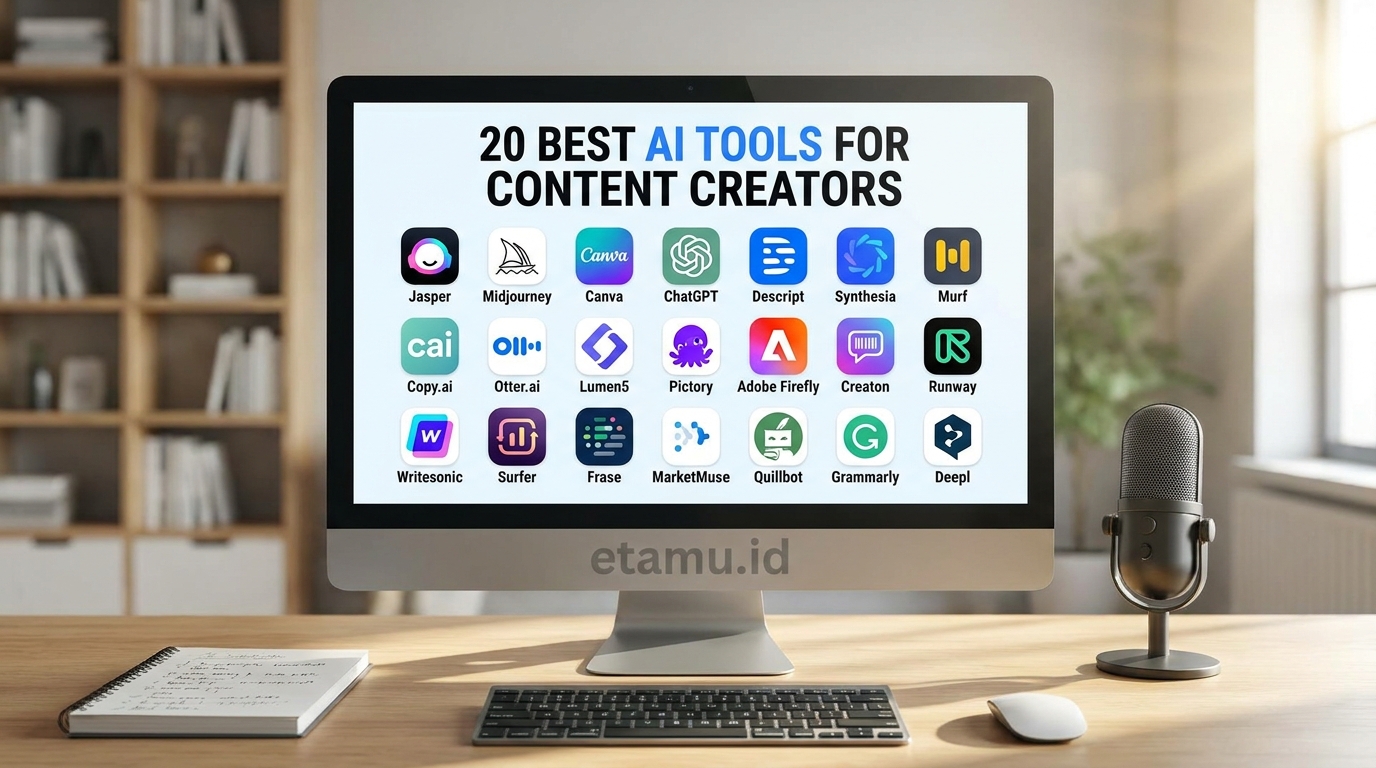
20 Best AI Tools for Content Creators in 2026
Here are 20 useful AI tools organized around the different stages of content production.
Writing is often the starting point of a successful content project. Even video creators need scripts, titles, descriptions, hooks, and captions.
AI writing assistants can help turn rough ideas into structured content while allowing creators to maintain their own voice.
1. ChatGPT – Best All-Round AI Assistant for Creators
ChatGPT is one of the most versatile AI tools for content creation.
It can help creators brainstorm ideas, write scripts, develop blog outlines, create social media captions, summarize research, analyze documents, and improve existing content.
For YouTubers, ChatGPT can help develop video concepts, write introductions, prepare talking points, and generate title variations.
Bloggers can use it to create article structures, explore related keywords, develop FAQs, and improve readability.
Some practical uses include:
- Generating 10 video ideas for a specific niche.
- Writing a YouTube script with an engaging introduction.
- Creating SEO-friendly blog outlines.
- Developing TikTok hooks and captions.
- Repurposing one article into multiple social posts.
Its biggest advantage is flexibility. Instead of using separate applications for every writing task, creators can handle many planning and drafting activities in one place.
Best for: YouTubers, bloggers, freelancers, marketers, and social media creators.
Website: https://chatgpt.com/
2. Claude – Best for Long-Form Writing and Creative Development
Claude, developed by Anthropic, is another useful AI assistant for creators who regularly work with longer content.
It can help analyze documents, organize research, improve writing, develop detailed scripts, and refine creative ideas.
For bloggers, Claude can assist with long-form article development. For video creators, it can help structure educational scripts, storytelling sequences, and detailed explanations.
It is particularly useful when you want to work through a large amount of information and turn it into a coherent piece of content.
Best for: Long-form articles, storytelling, research summaries, and detailed scripts.
Website: https://claude.ai/
3. Jasper – Best for Marketing and Brand Content
Jasper is an AI writing platform designed primarily for marketing teams and businesses.
Its focus is not just generating text but helping teams create consistent content that follows their brand voice.
Creators who manage several websites, social media accounts, or client campaigns may find Jasper useful for producing marketing copy at scale.
Potential applications include:
- Product descriptions.
- Advertising copy.
- Email marketing.
- Social media campaigns.
- Brand messaging.
- Marketing content variations.
For independent creators, Jasper may be more than necessary for basic writing. However, it becomes interesting when content production involves multiple campaigns and brand requirements.
Best for: Marketing creators, agencies, businesses, and professional content teams.
Website: https://www.jasper.ai/
4. Grammarly – Best for Editing and Improving Writing
Creating a first draft is only part of the writing process. Good content also needs editing.
Grammarly helps users improve grammar, spelling, clarity, tone, and overall writing quality.
For bloggers publishing in English, it can be especially useful for checking articles before publication.
Social media creators can also use it to polish captions, emails, and professional messages.
Best for: English-language bloggers, freelancers, editors, and professional creators.
Website: https://www.grammarly.com/
Best AI Image Generation Tools for Content Creators
Visual content plays a major role in attracting attention online. A strong YouTube thumbnail, an interesting blog image, or an eye-catching Instagram graphic can make a significant difference in how people interact with your content.
AI image generators make it easier to experiment with visual concepts without needing advanced graphic design skills.
5. Canva AI – Best for Social Media Graphics and Thumbnails
Canva is one of the most accessible design platforms for content creators.
Its AI-powered features help users create presentations, social media graphics, posters, thumbnails, and other visual assets.
Rather than starting with a blank page, you can use templates and AI-assisted design features to develop visual content more quickly.
For example, a YouTuber can create a thumbnail, while a blogger can prepare article illustrations and Pinterest graphics using the same platform.
Useful applications include:
- YouTube thumbnails.
- Instagram posts.
- TikTok promotional graphics.
- Blog illustrations.
- Infographics.
- Presentation slides.
Best for: Beginners, bloggers, social media creators, and small businesses.
Website: https://www.canva.com/
6. Adobe Firefly – Best for Professional AI Visual Creation
Adobe Firefly is a generative AI platform designed for creative work.
It supports AI-assisted image creation and other creative workflows, making it useful for designers, marketers, and content creators.
One advantage is its relationship with Adobe’s wider creative ecosystem.
Creators who already use Photoshop, Illustrator, or Adobe Express may find Firefly particularly useful when developing visual assets.
Possible applications include:
- Creating background images.
- Developing advertising concepts.
- Generating visual elements.
- Editing and transforming images.
- Exploring different creative styles.
Creators working on commercial projects should always review the applicable licensing terms for the specific feature and output.
Best for: Professional designers, marketers, bloggers, and commercial content creators.
Website: https://www.adobe.com/products/firefly.html
7. Midjourney – Best for Creative and Artistic AI Images
Midjourney is widely recognized for its AI image generation capabilities.
It allows creators to transform text descriptions into detailed visual concepts.
For example, you could describe a futuristic technology workspace, a cinematic product scene, or a fantasy landscape and use the generated image as inspiration for your project.
It can be particularly useful for:
- Creative blog illustrations.
- Concept art.
- YouTube thumbnail concepts.
- Advertising visuals.
- Storytelling backgrounds.
- Digital artwork.
However, generated images may still require editing before they are ready for publication.
Best for: Visual storytellers, designers, digital artists, and creative bloggers.
Website: https://www.midjourney.com/
Best AI Video Tools for Content Creators
Video production is one of the areas where AI can save creators considerable time.
Modern AI video tools can generate scenes, assist with editing, create subtitles, and transform long recordings into shorter content.
8. Runway – Best for AI Video Generation
Runway is an AI-powered creative platform focused on video and visual production.
It allows creators to experiment with text-to-video, image-to-video, and other AI-assisted video workflows.
Instead of filming every visual element yourself, you can generate creative footage from descriptions or reference images.
This can be useful for:
- Cinematic background footage.
- Promotional videos.
- Creative storytelling.
- Product advertising concepts.
- Experimental short films.
- Visual effects.
Runway is particularly interesting for creators who want more creative control over AI-generated video.
Best for: Filmmakers, YouTubers, advertising creators, and digital storytellers.
Website: https://runway.com/
9. CapCut – Best for Short-Form Video Editing
CapCut is a popular video editing platform for creators producing content for TikTok, Instagram Reels, and YouTube Shorts.
Its AI-assisted features can help with captions, editing, effects, and other video production tasks.
One of its biggest advantages is accessibility. Beginners can start editing videos without learning complicated professional editing software.
A practical workflow might look like this:
- Record a video using your smartphone.
- Import the footage into CapCut.
- Add captions and visual effects.
- Adjust the pacing and transitions.
- Export the video for your preferred platform.
Best for: TikTokers, YouTubers, Instagram creators, and mobile video editors.
Website: https://www.capcut.com/
10. Descript – Best for Editing Video and Audio Through Text
Descript offers an interesting approach to video and audio editing.
Instead of relying entirely on a traditional editing timeline, creators can work with transcribed text and edit their recordings through the transcript.
For example, removing a sentence from the transcript can help remove the corresponding section from the recording.
This is particularly useful for:
- Podcast editing.
- YouTube talking-head videos.
- Interviews.
- Educational videos.
- Screen recordings.
- Audio transcription.
For creators who produce a lot of spoken content, this workflow can make editing easier.
Best for: Podcasters, educators, interviewers, and YouTubers.
Website: https://www.descript.com/
11. OpusClip – Best for Turning Long Videos into Short Clips
Many creators produce long videos but struggle to turn them into consistent short-form content.
OpusClip is designed to help identify interesting sections of longer recordings and convert them into shorter clips.
For example, a 30-minute podcast could potentially provide several short videos for TikTok, Instagram Reels, and YouTube Shorts.
The platform can assist with clip selection, reframing, and captions.
This is especially useful for creators who want to maximize the value of content they have already produced.
Best for: Podcasters, YouTubers, interview channels, and educational creators.
Website: https://www.opus.pro/
Best AI Audio Tools for Content Creators
Audio quality is often overlooked, but it has a significant impact on the viewing experience.
A video with poor sound can be difficult to watch, even when the visuals are excellent.
AI audio tools can help creators generate narration, improve recordings, and produce more accessible content.
12. ElevenLabs – Best for AI Voiceovers
ElevenLabs is known for its AI voice generation and speech technology.
Creators can turn written scripts into natural-sounding voiceovers for videos, presentations, podcasts, and other digital content.
This is particularly useful for faceless YouTube channels, educational videos, and creators who prefer not to record their own narration.
Potential applications include:
- Video narration.
- Educational content.
- Storytelling.
- Podcast production.
- Multilingual content.
- Voice-based creative projects.
Always use voices you have the rights and permission to use, especially when cloning or recreating someone’s voice.
Best for: Faceless YouTube creators, video producers, educators, and storytellers.
Website: https://elevenlabs.io/
13. Riverside – Best for Podcast and Remote Recording
Riverside is designed for recording high-quality remote audio and video.
It is particularly useful for interviews, podcasts, discussions, and collaborative content.
Its AI-assisted features can also support transcription, editing, and content repurposing.
For example, a creator can record an interview and then use the recording as the foundation for several different content formats.
Best for: Podcasters, interview channels, online educators, and remote content teams.
Website: https://riverside.fm/
Best AI Research Tools for Content Creators
Publishing content without proper research can lead to weak articles, repetitive videos, and inaccurate information.
AI research tools help creators investigate topics, explore questions, and organize information before production begins.
14. Perplexity – Best for AI-Powered Research
Perplexity is an AI-powered search and research platform.
It is useful for exploring topics, discovering information, and identifying sources that can support your content.
For bloggers, it can help investigate a subject before writing an article. YouTubers can use it to explore potential video topics, while marketers can use it to research industry developments.
Some practical uses include:
- Finding information about trending topics.
- Exploring frequently asked questions.
- Discovering relevant sources.
- Comparing products and services.
- Researching industry developments.
Always open and verify the original sources before publishing factual claims.
Best for: Bloggers, researchers, educators, and news-oriented creators.
Website: https://www.perplexity.ai/
15. Google NotebookLM – Best for Researching Your Own Sources
NotebookLM, now part of Google’s evolving Gemini Notebook experience, is designed to help users work with their own research materials.
It can help summarize documents, analyze information, answer questions about uploaded sources, and organize complex material.
For example, a blogger researching a technology topic could collect reports, articles, and documents before using the tool to identify important themes.
Creators can use this approach to build content based on source material rather than relying entirely on generated answers.
Best for: Bloggers, students, researchers, educators, and documentary creators.
Website: https://notebooklm.google/
Best AI Tools for Social Media Content
Publishing content consistently across multiple platforms can become a full-time job.
Each platform has different content formats, audience expectations, and publishing habits.
AI social media tools can help creators prepare posts, adapt captions, organize calendars, and manage multiple channels.
16. Buffer – Best for Social Media Planning and Scheduling
Buffer is a social media management platform that helps creators organize and schedule content.
Its AI Assistant can help generate post ideas, rewrite captions, and adapt content for different platforms.
For example, a blogger can turn one article into several social media posts instead of writing everything from scratch.
A creator can also organize a publishing calendar and prepare posts in advance.
Best for: Solo creators, bloggers, freelancers, and small social media teams.
Website: https://buffer.com/
17. Hootsuite – Best for Managing Multiple Social Accounts
Hootsuite provides social media management capabilities for creators, marketers, and businesses.
Its AI-powered features can support content creation, social listening, planning, and publishing workflows.
It is particularly relevant for creators managing multiple accounts or working with clients.
Rather than switching between several social platforms, users can manage parts of their social media workflow through a centralized environment.
Best for: Marketing professionals, agencies, social media managers, and established creators.
Website: https://www.hootsuite.com/
Best AI Tools for Workflow and Automation
The final stage of content production is not always publishing.
Creators also need to manage projects, store ideas, organize files, coordinate tasks, and connect different applications.
This is where workflow tools become valuable.
18. Notion AI – Best for Organizing Content Projects
Notion combines note-taking, documentation, databases, and project management.
Its AI capabilities can help summarize notes, develop drafts, organize information, and work with existing content.
For a YouTuber, Notion could become a central place for:
- Video ideas.
- Script drafts.
- Publishing calendars.
- Sponsorship information.
- Research notes.
- Project checklists.
Bloggers can also use it to manage article ideas, keyword research, and editorial schedules.
Best for: Solo creators, bloggers, freelancers, and content teams.
Website: https://www.notion.com/
19. Zapier – Best for Automating Repetitive Tasks
Zapier connects different applications and allows users to automate workflows without needing to write traditional code.
For example, you could create an automation that sends a notification when someone submits a form, saves information to a spreadsheet, or triggers another action in a connected application.
Creators can use automation to reduce administrative work and keep their production systems organized.
Possible applications include:
- Collecting content ideas.
- Organizing incoming leads.
- Sending notifications.
- Connecting forms and spreadsheets.
- Automating repetitive business processes.
The key is to automate tasks that are predictable and repetitive, while keeping human approval for important publishing decisions.
Best for: Freelancers, agencies, online businesses, and creators with established workflows.
Website: https://zapier.com/
20. Metricool – Best for Social Media Analytics and Performance
Creating content is only half the job. Understanding how your audience responds is equally important.
Metricool provides social media analytics, planning, and management capabilities.
It can help creators monitor performance, review engagement, and understand how their content performs across supported platforms.
For example, you can compare the performance of different posts and identify which content formats generate more interaction.
This information can help guide your next content strategy.
Best for: Social media creators, influencers, bloggers, and digital marketers.
Website: https://metricool.com/

How to Build an AI Content Creation Workflow
Knowing which tools exist is useful, but the real benefit comes from combining them into a repeatable production system.
Here is an example of how a creator can use AI throughout the content production process.
Step 1: Research and Discover Ideas
Start by identifying topics your audience is interested in.
Use Perplexity to investigate a subject and NotebookLM to organize information from your selected sources.
For example, a technology YouTuber could research the latest AI applications and identify common questions people are asking.
Step 2: Develop the Content Strategy
Use ChatGPT or Claude to brainstorm ideas, create outlines, and structure your content.
At this stage, decide:
- Who is the target audience?
- What problem does the content solve?
- What makes the topic interesting?
- Which platform will you publish on?
- What action should viewers take?
Step 3: Write the Script or Article
Use an AI writing assistant to prepare the first draft.
For blog content, develop a clear heading structure and include relevant supporting information.
For video content, create an engaging opening, organized talking points, and a natural conclusion.
Remember to edit the draft so it reflects your own experience and voice.
Step 4: Create Visual Assets
Use Canva, Adobe Firefly, or Midjourney to create visual materials.
Depending on your project, these might include:
- Blog illustrations.
- YouTube thumbnails.
- Product images.
- Background graphics.
- Social media designs.
Step 5: Produce and Edit Video
Use Runway for AI-generated footage or CapCut and Descript for editing existing recordings.
If you have already published a long video, OpusClip can help identify opportunities to create shorter versions.
Step 6: Add Audio
Use ElevenLabs when you need AI-generated narration.
For interviews and podcasts, Riverside can help with recording and audio production.
Always check pronunciation, pacing, and the natural flow of the final audio.
Step 7: Publish and Analyze
Use Buffer or Hootsuite to organize social media publishing.
After publication, use Metricool to review performance and understand how your audience responds.
Then take those insights back into your next content planning session.
The result is a continuous improvement cycle rather than a collection of unrelated AI tasks.
Which AI Tools Should Different Types of Creators Use?
Not every creator needs the same combination of applications.
Here are some practical starting points.
AI Tools for YouTubers
A useful YouTube production stack could include:
- ChatGPT for video ideas and scripts.
- Perplexity for research.
- Midjourney or Canva for thumbnails.
- Runway for creative footage.
- CapCut or Descript for editing.
- ElevenLabs for narration.
- Metricool for performance analysis.
AI Tools for TikTokers
Short-form creators can start with:
- ChatGPT for hooks and captions.
- Canva for graphics.
- CapCut for video editing.
- ElevenLabs for voiceovers.
- OpusClip for repurposing longer recordings.
- Buffer for content planning.
AI Tools for Bloggers
Bloggers may benefit from:
- Perplexity for research.
- NotebookLM for source organization.
- ChatGPT or Claude for article outlines and drafts.
- Grammarly for editing.
- Canva for article images.
- Notion AI for editorial planning.
AI Tools for Freelancers and Social Media Managers
Freelancers and social media professionals can consider:
- ChatGPT for creative planning.
- Jasper for marketing copy.
- Canva for visual production.
- Hootsuite or Buffer for social publishing.
- Zapier for automation.
- Metricool for analytics.
The best stack is the one that matches your actual workload and budget.
How to Choose the Best AI Tools for Content Creation
Before paying for multiple subscriptions, consider these important factors.
1. Identify Your Biggest Content Production Problem
Do you struggle with writing, editing, designing, research, or publishing?
Start with the task that takes the most time.
2. Check the Free Plan
Many AI tools offer free access with usage restrictions.
Test the available features before committing to a paid subscription.
3. Consider the Quality of the Output
A fast AI tool is not necessarily a good tool.
Check whether its output meets your quality expectations and whether you can edit the results easily.
4. Check Commercial Usage Rights
If you create content for clients, advertising, sponsorships, or monetized channels, review the licensing and commercial-use conditions.
These can vary by product, subscription, model, and feature.
5. Protect Your Originality
AI can help produce content faster, but it should not remove your personality.
Your experiences, opinions, expertise, storytelling, and relationship with your audience are what make your content distinctive.
Frequently Asked Questions About AI Tools for Content Creators
What are the best AI tools for content creators in 2026?
Some useful options include ChatGPT, Claude, Canva, Adobe Firefly, Midjourney, Runway, CapCut, ElevenLabs, Perplexity, Descript, and OpusClip. The right choice depends on whether you focus on writing, images, video, audio, research, or social media.
What is the best free AI tool for content creation?
ChatGPT, Canva, CapCut, Perplexity, and several other platforms offer free or limited-access options. However, free-plan limits and available features can change, so check each provider’s current pricing page.
Which AI tool is best for YouTube creators?
YouTube creators can combine ChatGPT for scripts, Canva for thumbnails, CapCut or Descript for editing, ElevenLabs for narration, and OpusClip for turning longer videos into shorter clips.
Which AI tools are best for TikTok content creation?
CapCut is particularly useful for video editing, while ChatGPT can help with content ideas and captions. Canva can support graphic creation, and ElevenLabs can provide AI voiceovers.
Can AI create an entire video from a text prompt?
Yes, several AI video platforms support text-to-video generation. Runway and other generative video services can create footage from descriptions, although creators may still need editing, quality checks, and additional production work to produce a polished final video.
Can AI tools help bloggers rank higher on Google?
AI can assist with research, outlines, editing, and content planning. However, using AI does not guarantee higher rankings. Search performance still depends on relevance, originality, usefulness, technical SEO, and how well the content satisfies the reader’s needs.
Are AI-generated images and videos safe for commercial use?
Not automatically. Usage rights depend on the platform, model, subscription, and applicable terms. Creators should review licensing conditions and avoid using copyrighted material, trademarks, or someone’s likeness without appropriate permission.
Will AI replace content creators?
AI is more likely to change how content is produced than eliminate the need for creators. Original ideas, personal experiences, creative judgment, audience understanding, and storytelling remain important parts of successful content.
How many AI tools should a content creator use?
Start with two or three tools that solve your most important problems. Expand your toolkit only when a new application provides a clear improvement to your workflow.
Related AI Guides on etamu.id
Want to explore more AI tools and creative applications? Check out these related guides:
- 15 Best AI Image Generators: Free & Paid Tools Compared – Explore AI platforms for generating images, illustrations, and creative visuals.
- 15 Best AI Video Generators for Creators & Businesses – Discover tools for producing AI-generated videos and creative footage.
- Best AI Apps in 2026 – Find useful AI-powered applications for smartphones and everyday productivity.
- Viral AI Apps Worth Exploring – Discover interesting AI applications and creative tools gaining attention.
Final Thoughts: Build a Smarter Content Creation Workflow with AI
The best AI tools for content creators in 2026 are not necessarily the ones with the most features or the most expensive subscriptions.
They are the tools that solve real problems.
If you are a YouTuber, you may need better research, scripts, thumbnails, and video editing. If you are a TikToker, your priorities may be short-form editing, captions, voiceovers, and content ideas. If you are a blogger, research, writing, editing, and SEO may matter more.
Start by identifying the part of your production process that takes the most time. Choose one tool that can improve it, test the results, and gradually build a system around your needs.
Most importantly, remember that AI should support your creativity, not replace it.
Your unique perspective, knowledge, personality, and connection with your audience are still your greatest advantages.

- 20 Best AI Tools for Content Creators in 2026 - November 8, 2026
- TikTok Akan Menambahkan Efek AR In-Stream, Pengguna Bisa Buat Efek Sendiri! - November 7, 2026
- 10 Aplikasi Chatting Online yang Seru untuk Ngobrol di Room! - November 7, 2026