Etamuid – Video content continues to dominate the internet. From YouTube tutorials and podcasts to TikTok videos and Instagram Reels, creators are expected to publish engaging content consistently. But producing a good video takes more than recording footage. You also need to cut unnecessary scenes, add captions, improve audio, create transitions, remove backgrounds, and prepare different versions for each platform.
For solo creators and small teams, this editing process can consume hours every week.
This is where AI video editing tools become useful.
In 2026, AI-powered video editors can automate many repetitive tasks that previously required manual editing. They can generate subtitles, remove unwanted pauses, identify interesting highlights, clean up voice recordings, resize videos, and even help transform long recordings into multiple short clips.
The result is a faster production workflow without necessarily sacrificing video quality.
However, not every AI video editor is designed for the same purpose. Some tools are ideal for TikTok and YouTube Shorts, while others are better suited to podcasts, tutorials, interviews, or professional YouTube videos.
In this guide, we explore the 10 best AI video editing tools in 2026 for YouTube and TikTok creators. We will compare their main features, explain who should use them, and show how AI can make video production more efficient.
What Is AI Video Editing?
AI video editing is the use of artificial intelligence to automate or simplify parts of the video production process.
Traditional video editing often requires users to manually review footage, cut scenes, synchronize audio, create subtitles, adjust framing, and apply visual effects.
AI-powered editors can perform some of these tasks automatically.
For example, an AI editor can analyze a 30-minute podcast, identify several interesting moments, create short clips, generate subtitles, and adjust the video to a vertical format.
Common AI video editing features include:
- Auto captions: Automatically converting spoken words into subtitles.
- Background removal: Separating a person or object from the background.
- AI highlights: Finding interesting moments in longer recordings.
- Voice enhancement: Reducing background noise and improving speech clarity.
- AI effects: Applying visual effects and transforming footage.
- Auto reframing: Adjusting video composition for vertical or horizontal formats.
- Short-form repurposing: Turning long videos into TikTok and YouTube Shorts.
- Workflow automation: Reducing repetitive editing and publishing tasks.
The main benefit is not simply making editing faster. It is helping creators spend more time developing ideas, recording content, and connecting with their audiences.
10 Best AI Video Editing Tools in 2026
Here are ten AI-powered video editing platforms worth exploring, each with a different strength.
1. CapCut – Best AI Video Editor for TikTok and Short-Form Content
<escape> </escape>
CapCut is one of the most accessible video editing applications for creators who regularly publish short-form videos.
Its combination of traditional editing features and AI-powered tools makes it useful for beginners as well as experienced social media creators.
CapCut supports mobile, desktop, and browser-based editing, although feature availability can vary depending on the platform and region.
Key AI features:
- Automatic captions and subtitle editing.
- Background removal.
- AI-assisted video effects.
- Auto reframing and resizing.
- Voice and audio enhancement features.
- Templates and automated editing tools.
- AI-assisted content creation.
For example, a TikTok creator can record a talking-head video, generate captions, add effects, adjust the framing, and export the result in a vertical format.
YouTubers can also use CapCut to prepare shorter versions of their existing videos for YouTube Shorts.
Why choose CapCut?
Its biggest advantage is accessibility. You do not need advanced editing experience to create attractive social media videos.
Best for: TikTok creators, YouTube Shorts publishers, beginners, and mobile video editors.
Website: https://www.capcut.com/
2. Descript – Best for Editing Videos by Text
Descript offers a different approach to video editing.
Instead of working entirely through a traditional timeline, creators can edit spoken videos by editing their transcripts.
After uploading a recording, Descript can transcribe the speech. You can then remove unwanted sections by deleting the corresponding words from the transcript.
This can make editing interviews, tutorials, podcasts, and talking-head videos much easier.
Key AI features:
- Automatic transcription.
- Text-based video editing.
- Filler-word removal.
- AI audio enhancement.
- Subtitle generation.
- Screen recording.
- AI-assisted editing.
For example, imagine recording a 20-minute YouTube tutorial. If you repeat a sentence several times or make unnecessary pauses, you can use transcript-based editing to clean up the recording.
Descript also offers AI audio tools that help improve speech quality.
Why choose Descript?
It is particularly useful for creators whose videos contain a lot of spoken content.
Best for: YouTubers, podcasters, educators, interview channels, and tutorial creators.
Website: https://www.descript.com/
3. OpusClip – Best for Turning Long Videos into YouTube Shorts
OpusClip is designed to solve a common problem for creators: turning long videos into short, engaging clips.
Instead of manually reviewing an entire podcast or YouTube recording, you can upload a video and let its AI analyze the content for potential highlights.
The platform can identify interesting sections, create shorter clips, add captions, and reframe footage for vertical platforms.
Key AI features:
- AI highlight detection.
- Automatic short-video creation.
- Caption generation.
- Vertical video reframing.
- Clip scoring and selection assistance.
- Social video repurposing.
For example, a creator with a one-hour podcast could use OpusClip to identify several moments worth turning into short-form videos.
Each clip can then be reviewed and adjusted before publishing.
Why choose OpusClip?
It can save considerable time when you regularly repurpose long-form content.
Best for: Podcasters, YouTubers, interview channels, coaches, and educational creators.
Website: https://www.opus.pro/
4. VEED – Best Online AI Video Editor
VEED is a browser-based video editing platform that offers a range of AI-powered editing features.
One of its advantages is that creators can edit videos online without relying entirely on a powerful desktop computer.
It is useful for social media videos, marketing content, tutorials, and simple business presentations.
Key AI features:
- Automatic subtitle generation.
- Subtitle translation.
- Background removal.
- AI-assisted editing.
- Audio cleanup.
- Video resizing.
- Screen recording.
For example, a creator can upload a video, generate subtitles, remove an unwanted background, and prepare the final result for different social media platforms.
Why choose VEED?
It provides a convenient browser-based workflow for people who want to handle several editing tasks in one place.
Best for: Social media creators, marketers, educators, and small content teams.
Website: https://www.veed.io/
5. Adobe Premiere – Best for Professional AI Video Editing
Adobe Premiere is a professional video editing application that combines traditional timeline editing with AI-assisted features.
It is suitable for creators who need more control over footage, audio, transitions, color, and detailed editing decisions.
Its AI-related capabilities can help simplify tasks such as speech enhancement, text-based editing, and extending certain video sequences.
Key AI features:
- Text-based editing.
- AI-assisted speech enhancement.
- Generative Extend.
- Automatic transcription and captions.
- Media search and organization.
- Professional timeline editing.
For example, a YouTube creator producing detailed tutorials or documentary-style videos can use Premiere to manage complex timelines while using AI features to reduce repetitive work.
Why choose Adobe Premiere?
It offers a combination of professional editing control and AI-assisted production.
However, beginners may need more time to learn its interface than they would with simpler mobile editors.
Best for: Professional YouTubers, filmmakers, editors, and production teams.
Website: https://www.adobe.com/products/premiere.html
6. DaVinci Resolve – Best for Professional Editing and Color Correction
DaVinci Resolve is a professional video editing platform known for its editing, color grading, visual effects, and audio production capabilities.
It also includes AI-powered features through its Neural Engine technology.
Depending on the version and available features, these tools can assist with subject selection, voice isolation, smart reframing, and other editing tasks.
Key AI features:
- AI-powered subject selection.
- Voice isolation.
- Smart reframe.
- Facial recognition and media organization.
- AI-assisted visual effects.
- Professional color correction.
For YouTubers who want more control over their visual style, DaVinci Resolve provides a powerful editing environment.
Its free version is also an attractive starting point for creators who want professional editing capabilities without immediately purchasing software.
Some advanced AI features are reserved for the paid Studio edition.
Why choose DaVinci Resolve?
It is a strong option for creators who want to move beyond basic editing and develop professional video production skills.
Best for: Advanced YouTubers, filmmakers, video editors, and creators focused on visual quality.
Website: https://www.blackmagicdesign.com/products/davinciresolve
7. Runway – Best for AI Video Effects and Creative Editing
Runway is an AI-powered creative platform that focuses on generative video and visual transformations.
Although it is not a traditional replacement for every editing application, it can help creators develop visual effects and modify footage using AI.
For example, you can experiment with generating new video scenes, transforming visual elements, or creating footage that would be difficult or expensive to capture traditionally.
Key AI features:
- AI video generation.
- Image-to-video workflows.
- Video transformation.
- Background and visual editing tools.
- Creative effects.
- Generative visual experiments.
Runway is especially useful when a video needs additional creative visuals rather than only basic trimming and captions.
For example, a YouTuber creating a technology explainer could use AI-generated footage to illustrate an abstract concept.
Why choose Runway?
It offers creative possibilities beyond conventional video editing.
However, generated footage should still be reviewed carefully for visual consistency and accuracy.
Best for: Creative YouTubers, filmmakers, advertisers, and visual storytellers.
Website: https://runway.com/
8. Riverside – Best for Podcast and Interview Video Editing
Riverside is a recording and editing platform designed for podcasts, interviews, and remote video conversations.
It helps creators record audio and video remotely and then use AI-assisted features to prepare the recordings for publication.
Its tools can help identify highlights, clean audio, generate transcripts, and create shorter clips.
Key AI features:
- Remote audio and video recording.
- Automatic transcription.
- AI-powered highlight clips.
- Audio enhancement.
- Content repurposing.
- Video editing and export.
For example, a YouTube interview channel can record a conversation with a guest and then create a full-length video, several short clips, and an audio podcast from the same session.
Why choose Riverside?
It combines recording and post-production workflows, making it useful for creators who regularly interview guests.
Best for: Podcasters, interview channels, educators, and remote content teams.
Website: https://riverside.fm/
9. Captions – Best for Caption-Led Social Media Videos
Captions is an AI-powered video creation and editing platform designed for creators who produce social media content.
It focuses on helping users create polished talking-head videos and other short-form content.
Depending on the available plan and platform, its AI features can assist with captions, editing, voice, and video presentation.
Key AI features:
- Automatic captions.
- AI-assisted video editing.
- Teleprompter-style recording.
- Voice and speech tools.
- AI video presentation features.
- Social content workflows.
For example, a TikTok creator can record a short product review and use automatic captions and editing assistance to prepare a more polished video.
Why choose Captions?
It is worth considering if your content mainly consists of speaking directly to the camera.
Best for: TikTokers, Instagram creators, influencers, and short-form video publishers.
Website: https://www.captions.ai/
10. Submagic – Best for Animated Captions and Engaging Shorts
Submagic is designed for creators who want to produce caption-focused short-form videos.
Its editing workflow emphasizes subtitles, visual elements, and presentation styles commonly used in social media videos.
It can help creators turn ordinary talking-head recordings into more visually engaging clips.
Key AI features:
- Automatic subtitle generation.
- Animated captions.
- Caption styling.
- AI-assisted editing.
- Social video enhancement.
- Short-form content workflows.
For example, a creator publishing educational TikTok videos can use Submagic to generate animated subtitles and highlight important words.
This can make spoken information easier to follow, particularly for viewers watching without sound.
Why choose Submagic?
It is useful when captions and visual presentation are central to your short-form video style.
Best for: TikTok creators, YouTube Shorts publishers, coaches, and educational influencers.
Website: https://www.submagic.co/
Quick Comparison: Which AI Video Editor Should You Choose?
The following table summarizes the main strengths of each platform.
| Tool | Best For | Main AI Advantage |
|---|---|---|
| CapCut | TikTok and Shorts | Captions, effects, and quick editing |
| Descript | Talking-head videos | Transcript-based editing |
| OpusClip | Long-to-short repurposing | Automatic highlight detection |
| VEED | Browser-based editing | Captions and background removal |
| Adobe Premiere | Professional editing | AI-assisted timeline workflow |
| DaVinci Resolve | Advanced production | AI tools for editing and color workflows |
| Runway | Creative visual effects | Generative video transformations |
| Riverside | Podcasts and interviews | Recording and AI clipping |
| Captions | Social talking-head videos | Caption-led AI editing |
| Submagic | Caption-focused Shorts | Animated subtitles |
These tools are not direct replacements for one another. A creator who needs professional color grading may prefer DaVinci Resolve, while someone who wants to turn a podcast into several TikTok clips may get more value from OpusClip.
How AI Video Editing Features Help Creators Save Time
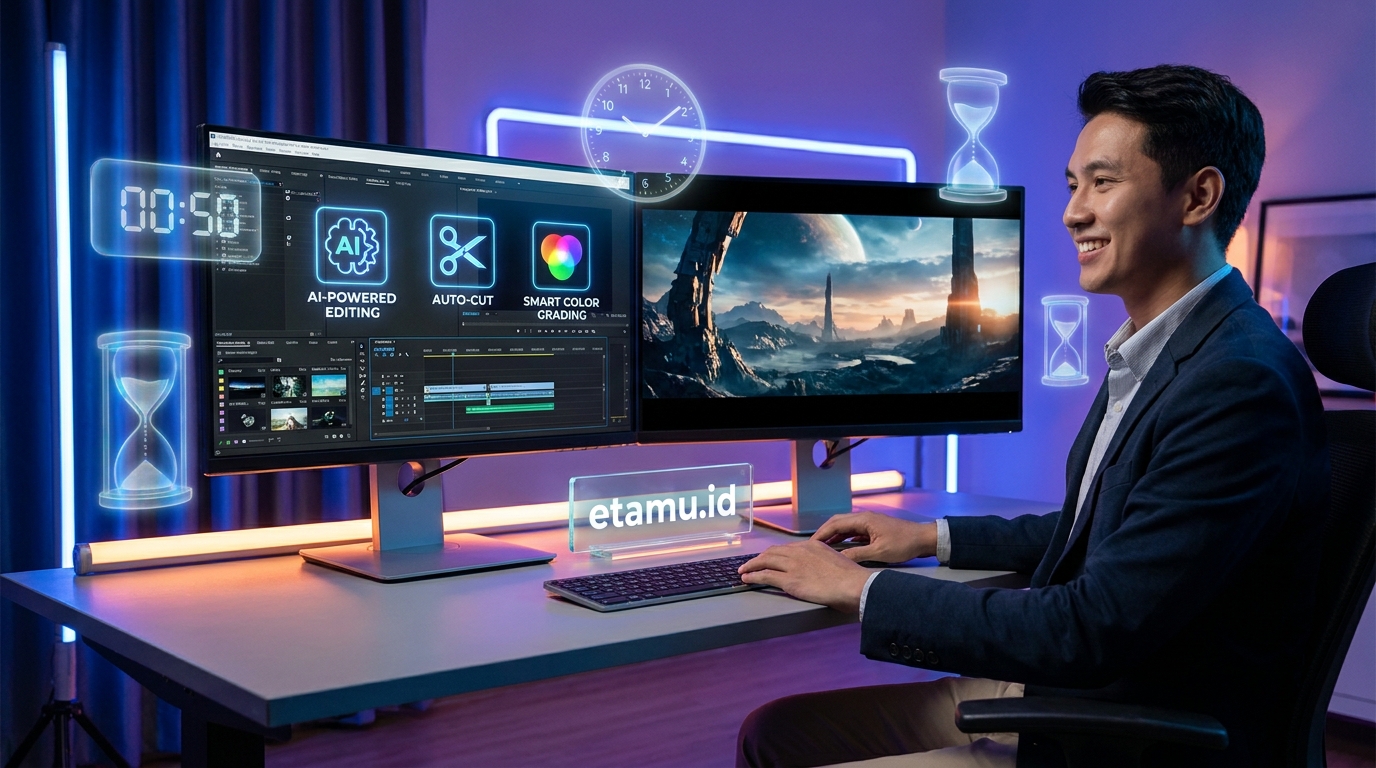
AI video editors are most valuable when they reduce repetitive work.
Here are seven important features that can improve your production workflow.
1. Automatic Captions and Subtitles
Captions make videos easier to understand, especially when people watch without sound.
AI speech recognition can convert spoken words into subtitles automatically.
Instead of typing every sentence manually, creators can generate captions and correct any mistakes before exporting the video.
This is particularly useful for TikTok, Instagram Reels, and YouTube Shorts.
However, always review names, technical terms, accents, and numbers because automatic transcription is not always perfect.
2. AI Background Removal
Removing a background manually can be difficult, particularly when a person moves throughout a video.
AI background removal can identify the main subject and separate it from the surrounding environment.
This makes it easier to create:
- Product review videos.
- Talking-head content.
- Green-screen effects.
- Educational presentations.
- Promotional videos.
The final result depends on lighting, movement, and the complexity of the background.
3. Automatic Highlight Detection
Long videos often contain several interesting moments that can work as short-form content.
AI highlight detection can analyze recordings and suggest sections that may be suitable for shorter clips.
For example, a 45-minute podcast might contain several useful explanations, funny moments, or strong opinions.
Instead of reviewing the entire recording manually, creators can use AI to identify possible highlights and select the best ones.
4. AI Voice Enhancement
Poor audio quality can make an otherwise excellent video difficult to watch.
AI audio enhancement tools can reduce unwanted noise, improve speech clarity, and help separate voices from background sounds.
This is useful for creators who record in bedrooms, offices, outdoor locations, or other environments without professional sound treatment.
Still, it is better to record clean audio from the beginning than to rely entirely on AI correction.
5. AI Effects and Visual Transformations
AI visual effects can help creators experiment with different styles without manually building every effect.
Depending on the platform, creators can transform footage, generate additional visual elements, or create new scenes.
These features are particularly interesting for storytelling, product advertising, and creative video projects.
6. Automatic Shorts and Vertical Video Creation
YouTube videos are often recorded in horizontal format, while TikTok and YouTube Shorts generally use vertical video.
AI reframing tools can help adjust the composition for different screen sizes.
Some platforms can also detect the main speaker and keep that person visible during the reframing process.
This reduces the need to manually reposition every scene.
7. Faster Editing Workflows
AI can reduce the time spent on transcription, silence removal, basic cuts, captions, and content repurposing.
Instead of performing every repetitive task manually, creators can focus on storytelling, pacing, and visual quality.
The best workflow combines automation with human review.
How to Build an AI Video Editing Workflow for YouTube and TikTok
You do not need ten applications to produce good videos.
A simple combination of tools can already make a major difference.
Here is an example workflow for a creator who publishes both long-form YouTube videos and short-form social content.
Step 1: Record Your Main Video
Start by recording your original footage.
Focus on clear audio, good lighting, and an interesting presentation.
If you are recording a tutorial, podcast, or product review, plan the main talking points before filming.
Step 2: Edit the Main Video
Use Descript for transcript-based editing or CapCut for a more straightforward editing workflow.
If you need advanced color correction and timeline control, consider Adobe Premiere or DaVinci Resolve.
Step 3: Clean the Audio and Add Captions
Use the editor’s available AI tools to reduce background noise and generate subtitles.
Review the captions carefully before publishing.
Step 4: Find Interesting Highlights
If your video is long, upload it to OpusClip or use another clipping tool to identify potential short-form moments.
Choose clips that make sense independently and provide value without requiring viewers to watch the entire original recording.
Step 5: Reframe the Video
Prepare vertical versions for TikTok and YouTube Shorts.
Check that faces, products, and important visual elements remain inside the frame.
Step 6: Add Effects and Visual Elements
Use CapCut, Runway, or other creative tools when your content needs additional effects.
Do not add unnecessary transitions or animations simply because the software offers them.
Step 7: Review and Publish
Watch the final video from beginning to end.
Check audio, subtitles, pacing, visual quality, and platform formatting.
Then publish the video and monitor audience engagement.
How to Choose the Best AI Video Editing Software
Before subscribing to an AI video editor, consider these factors.
1. Choose Based on Your Content Format
If you create TikTok videos, look for fast editing, captions, and vertical reframing.
If you publish long YouTube tutorials, prioritize timeline control, audio enhancement, and detailed editing features.
2. Check the Free Plan
Some AI video editors provide free access, while others limit exports, resolution, monthly credits, or remove certain features from free accounts.
Always check what happens when you export the finished video.
3. Consider Your Device
Mobile-first creators may prefer CapCut or Captions.
Creators working on desktop computers may benefit more from Premiere, DaVinci Resolve, or Descript.
4. Review AI Usage Limits
Some platforms use credits for AI generation, transcription, or advanced editing.
If you publish videos frequently, make sure the limits fit your production schedule.
5. Check Export Quality and Watermarks
Before choosing a tool, confirm whether it supports the resolution, aspect ratio, and file format you need.
Also check whether the free plan adds a watermark.
6. Keep Human Control
AI can make editing decisions, but it may select the wrong highlights, misunderstand speech, or create awkward cuts.
Always review the final video before publishing.
Frequently Asked Questions About AI Video Editing Tools
What is the best AI video editing tool in 2026?
There is no single best tool for every creator. CapCut is a practical choice for short-form social content, Descript is useful for transcript-based editing, and OpusClip is designed for turning long recordings into short clips. Adobe Premiere and DaVinci Resolve are stronger options for advanced editing workflows.
What is the best free AI video editor?
CapCut and DaVinci Resolve are popular starting points because they offer free editing options. Other platforms, including Descript, VEED, and OpusClip, also provide ways to try their services with varying restrictions.
Check current export limits, watermarks, and AI credits before choosing a free plan.
Can AI edit videos automatically?
Yes. AI video editors can automate tasks such as transcription, caption generation, silence removal, audio cleanup, reframing, and highlight detection.
However, a human editor should still review the final result for storytelling, accuracy, and quality.
Which AI tool is best for YouTube Shorts?
OpusClip is useful for converting longer videos into short clips, while CapCut is a strong option for editing and polishing Shorts manually. Captions and Submagic are also worth exploring for caption-focused content.
Which AI video editor is best for TikTok?
CapCut is a popular option for TikTok creators because it combines mobile editing, templates, captions, and visual effects. Captions and Submagic can also help produce talking-head videos with more polished subtitles.
Can AI remove the background from a video?
Yes. Several AI-powered editors offer background removal or subject separation features. CapCut, VEED, and other creative platforms provide options for removing or replacing video backgrounds, although the results depend on footage quality and the complexity of the scene.
Can AI turn a long YouTube video into multiple Shorts?
Yes. Tools such as OpusClip can analyze longer recordings and suggest shorter clips for social media. You should review each suggestion to ensure it makes sense without the original video.
Are AI-generated video edits good enough for professional content?
They can be useful for many professional workflows, especially when handling repetitive tasks. However, professional projects may still require manual editing, color correction, sound design, and detailed quality control.
Will AI replace video editors?
AI is changing video editing by automating repetitive tasks, but human creativity remains important. Storytelling, timing, emotional impact, visual judgment, and understanding an audience still require creative decisions.
Related AI Guides on etamu.id
Want to explore more AI tools for your content creation workflow? Check out these related guides:
- Best AI Tools for Content Creators – Discover AI tools for writing, images, video, audio, research, and social media.
- 30 Best Free AI Tools in 2026 – Explore useful AI applications that offer free access or free plans.
- 15 Best AI Image Generators – Find AI image tools for creating thumbnails, illustrations, and visual content.
- Best AI Apps – Discover AI-powered applications for smartphones and everyday productivity.
Final Thoughts: Make Video Editing Faster with AI
AI video editing tools are changing how creators produce content for YouTube, TikTok, and other social media platforms.
Tasks that once required hours of manual work can now be simplified with automatic captions, background removal, voice enhancement, highlight detection, and short-form video generation.
However, the best results do not come from letting AI make every decision.
A strong creator still needs to understand storytelling, audience expectations, video pacing, and visual quality.
Start with one tool that solves your biggest editing problem. If you spend too much time creating captions, choose an editor with reliable transcription. If you regularly publish long videos, consider a tool that can identify highlights and generate short clips.
Gradually build a workflow that saves time without sacrificing the quality of your content.
AI should make video editing easier, not make every video look the same.
Follow etamu.id for more practical guides on AI tools, video creation, digital productivity, and the latest technology trends.

- 10 Best AI Video Editing Tools in 2026 for YouTube & TikTok - November 10, 2026
- Yandex RU Twitter Search Download APK Video Museum Viral - November 10, 2026
- TikTok Downloader Online Gratis Terbaik Tanpa Watermark - November 9, 2026